EasyManua.ls Logo

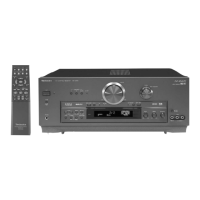
Technics SA-DA15 - Operating the Receiver with Remote

Technics SA-DA15
40 pages
Print Icon
To Next Page IconTo Next Page
To Previous Page IconTo Previous Page
Loading...
30
RQT5861
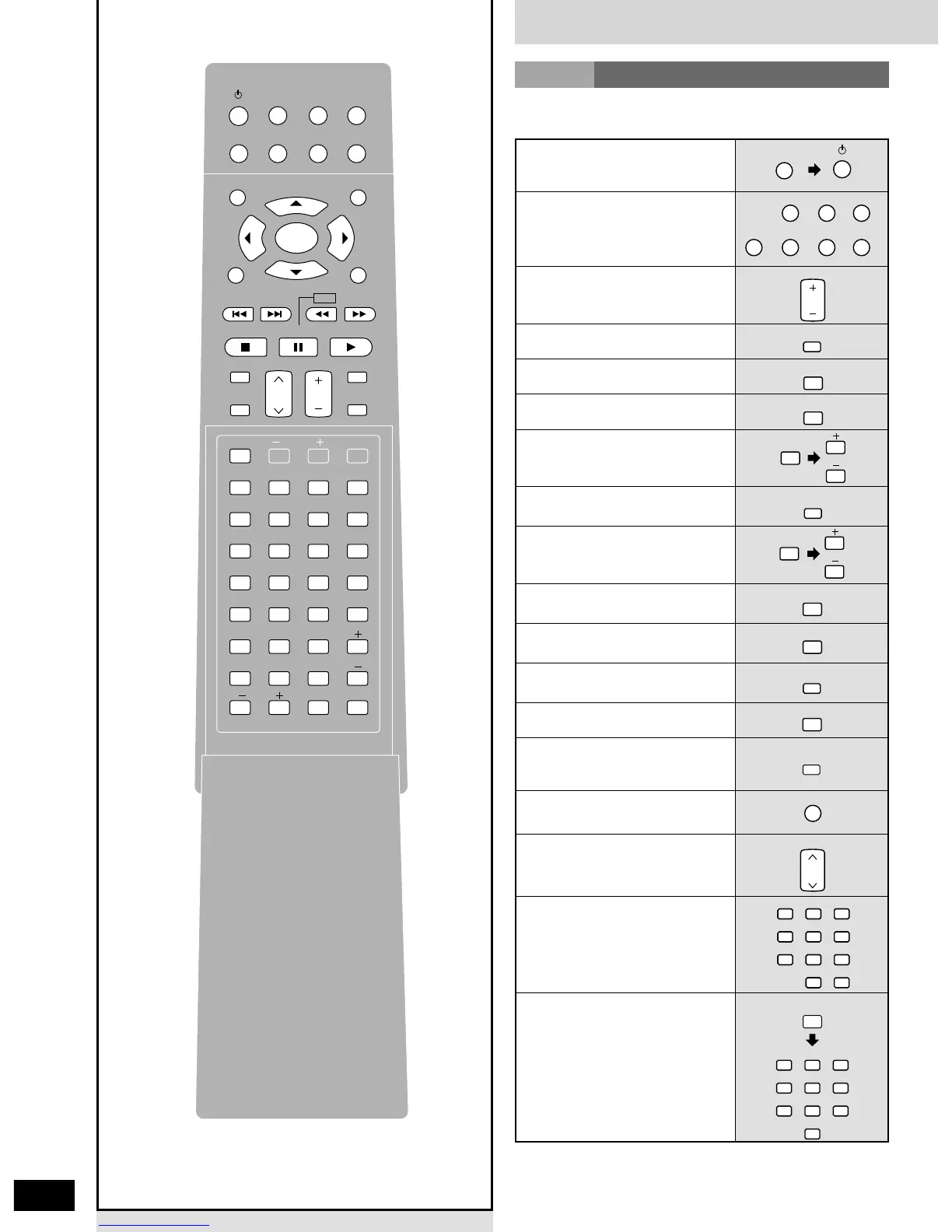
Remote control
To turn the unit on/off
To select an input source and
switch the remote control to
each operation mode
To adjust the volume
To select the DSP sound
mode (⁄8)
To select the SFC mode
(8)
To start a test signal (5)
To select the speaker channel
and adjust its output level
(5, 7, ¤1)
To adjust subwoofer output
level (¤1)
To change the surround
channel delay time (7)
To dim the display (¤6)
To select FM or AM
(¤2)
To change radio channels
sequentially (¤3)
(Preset tuning)
To select radio channels
directly (¤3)
(Preset tuning)
Reference pages are given in parentheses.

TUNER/BAND
RECEIVER
TV
TUNER/BAND
RECEIVER
MD TAPE CD
VCR DVD
VOLUME
SOUND MODE
SFC
TEST
LEVEL
SUBWOOFER
DELAY
DIMMER
TUNER/BAND
RECEIVER
CHANNEL
3
6
2
5
1
4
987
10/-/--
0
3
6
2
5
1
4
987
0
DIRECT TUNING/
DISC
3
6
2
5
1
4
987
0
Operating the receiver
RCVR
To select DVD 6CH INPUT
mode (
9)
DVD 6CH
To select DIGITAL INPUT
mode (
8)
DIGITAL
To mute the volume (¤6)
MUTING
To display help messages and
confirm the remote control
mode (
7)
HELP
TV
MD
TUNER/BAND
TOP MENU
MENU
RECEIVER
TAPE CD
VCR
DVD
RETURN
PAUSESTOP
SOUND MODE
CHANNEL
TV/AV
DVD 6CH
VOLUME
PLAY
SLOW /SEARCH
SKIP
DISPLAY
MUTING
SUBWOOFER
HELP
DIRECT TUNING/
DISC
DIGITAL
3
6
2
5
1
4
SFC
987
0
DISC ENTER/
DECK 1/2
10/-/--
LEVELCANCEL
SETUP
PLAY MODE
ANGLEAUDIO
SUB TITLE
REPEAT
MODE
A-B
REPEAT
GROUP
TESTDIMMERPAGE
DVD
TV VOL
DELAY
ENTER
To select radio stations by
frequency (
¤2)
(Direct tuning)

Other manuals for Technics SA-DA15

Related product manuals