Making a recording
26
RQT5818
¡You cannot record a source connected through a digital terminal.
When recording CD, DVD, or TV, ensure the source is connected
through the corresponding analogue terminals (
\
pages 6–7)
and “ANALOG” input is selected (
\
page 18).
¡(SA-DX850 only) When you select DVD 6CH INPUT mode, only
sound from the front left and right channels is recorded.
Note
You can record to a tape deck connected to TAPE/MD REC (OUT)
or to a VCR connected to VCR OUT.
See the recording unit’s operating instructions for details on how to
prepare it for recording.
When recording with a tape or MD deck, you can record any source
except TAPE/MD.
When recording with a VCR, you can record any source except
TAPE/MD or VCR.
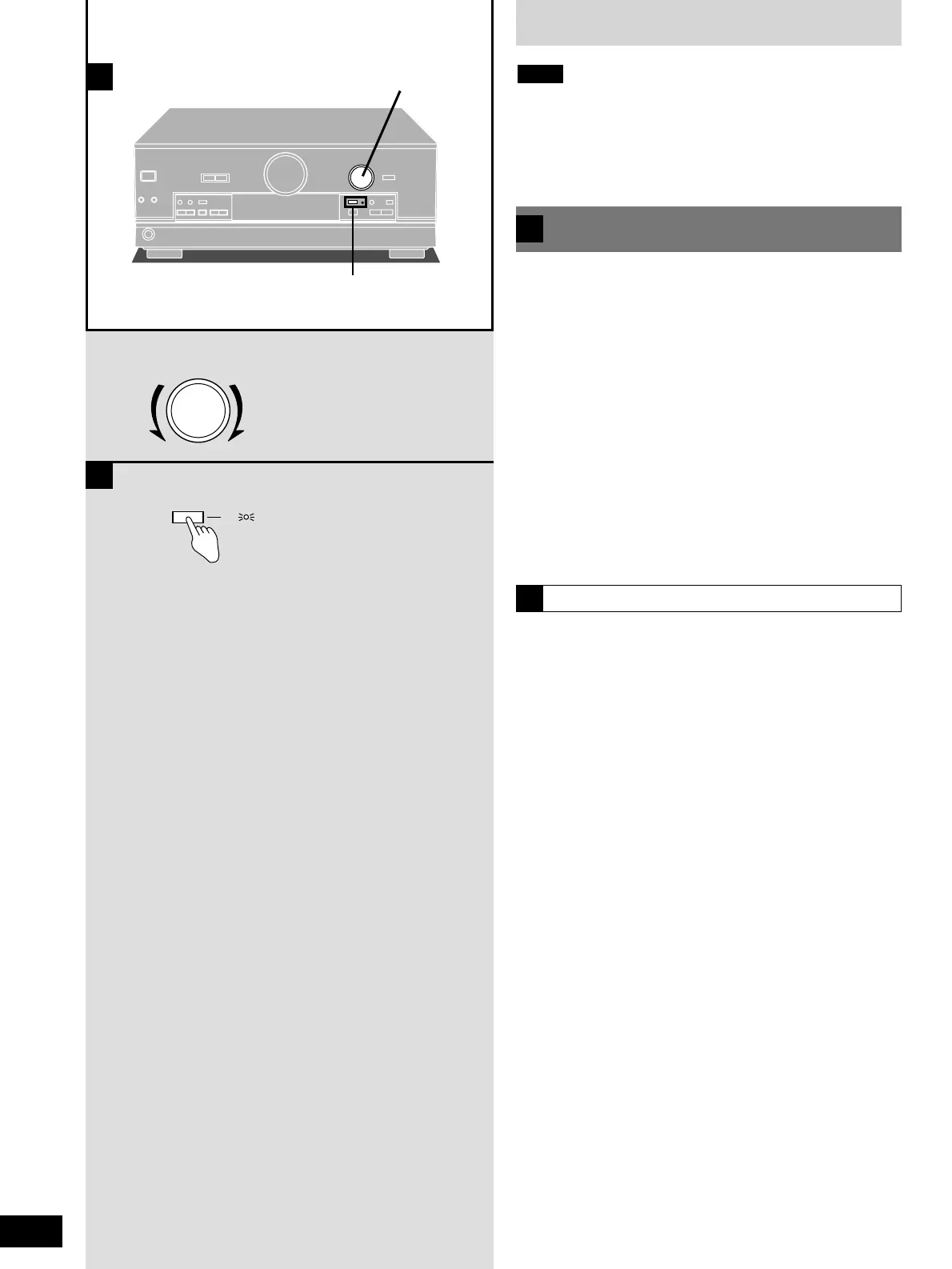
1 Turn [INPUT SELECTOR] to select the
source to be recorded.
2 Begin recording.
Follow your recording unit’s operating instructions.
3 Begin the source to be recorded.
Follow your equipment’s operating instructions.
Recording on a tape or MD deck,
or VCR
A
To monitor sound being recorded onto a tape deck
B
It is possible to check the sound being recorded if your tape deck is
a 3 head system.
Press [TAPE MONITOR] on this unit and
set the monitor button on the tape deck to
“TAPE”.
Press [TAPE MONITOR] once again to turn it off.


 To Next Page