15
RQT5744
Cassette deck operations
Cassette tapes
Fast-forwarding and rewinding
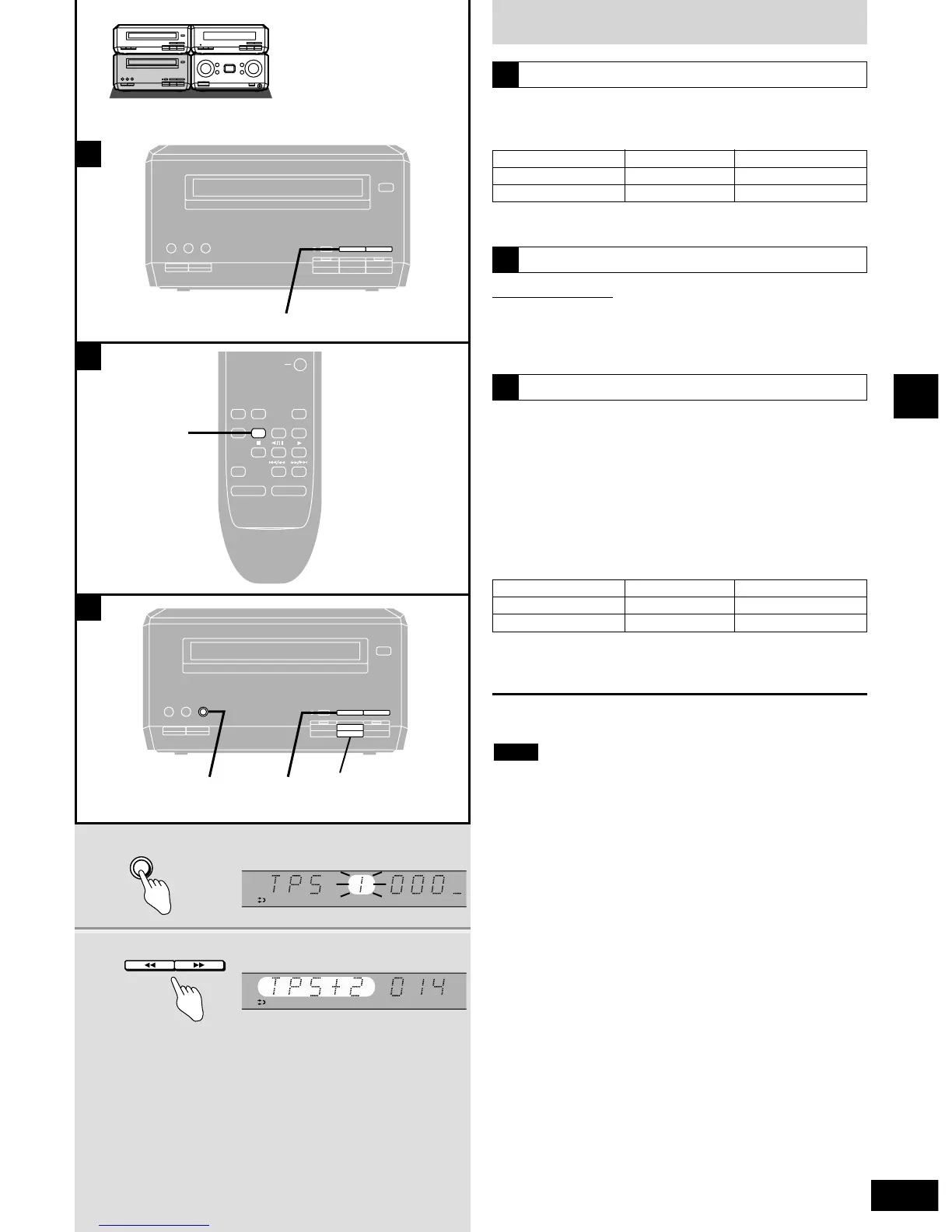
Press [t (TPS)] or [(TPS) y] while the
tape is stopped.
A
Tape direction
q
w
Rewind
t
y
Fast-forward
y
t
Tape direction
q
w
Backward
t
y
Forward
y
t
One touch play
Remote control only
When a cassette is loaded and the unit is off, press [TAPE].
The unit comes on and starts play in the direction last selected with
the volume fading in.
B
Tape program sensor (TPS)
TPS finds the beginning of a track and starts play from there. You
can skip up to nine tracks.
1 Press [TPS SKIP] to select the
number of tracks you want to skip.
2 Press [t (TPS)] or [(TPS) y] to
select the direction.
C
Pressing [t (TPS)] or [(TPS) y] during play takes you to
the beginning of the current track or the next track,
depending on tape direction.
To cancel
Press [ g ].
¡Stop the tape before changing the TPS direction.
¡TPS may not operate correctly in the following situations:
If the interval between tracks is less than 4 seconds.
If there is noise between tracks.
If there are silent parts within tracks.
Note



 To Next Page