EasyManua.ls Logo

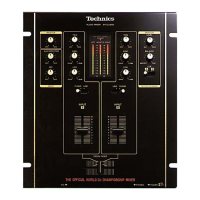
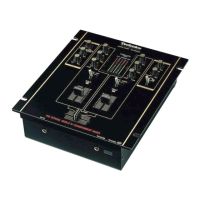
Technics SH-DX1200 - User Manual

Technics SH-DX1200
12 pages
Print Icon
To Next Page IconTo Next Page
Loading...
EB GN
RQT5375-B
Note:
The “ EB ” indication shown on the packing case
indicates United Kingdom.
Before connecting, operating or adjusting this prod-
uct, please read these instructions completely.
Please keep this manual for future reference.
Model No.
SH-DX1200
Audio Mixer
Operating Instructions

Other manuals for Technics SH-DX1200

Questions and Answers

  • S
    Shawn NewtonAug 6, 2025
    What to do if there is no sound from my Technics SH-DX1200 Music Mixer?
    • T
      Tamara BrownAug 7, 2025
      If you're not getting any sound from your Technics Music Mixer even when it's powered on, there are a few things to check: * Make sure the input selector isn't set to the wrong source. Adjust it to the correct position. * Double-check all your connections to ensure everything is properly connected. * Verify that the master level or any other volume controls aren't set to the minimum position. Adjust them as needed.
  • M
    millercherylAug 14, 2025
    Why is my Technics SH-DX1200 humming?
    • C
      Christine CantuAug 15, 2025
      If you're experiencing a low hum or buzz during playback with your Technics Music Mixer, consider these possible causes and solutions: * Ensure that fluorescent lights, other electrical appliances, or their AC power cords are positioned as far away from the audio mixer and its connecting cords as possible. * Check if the turntable’s grounding wire is disconnected and connect the grounding wire securely.
  • S
    Stephen OchoaAug 21, 2025
    How to fix reversed left and right sound on Technics SH-DX1200?
    • E
      Emily ChapmanAug 21, 2025
      If the left and right sound channels are reversed on your Technics Music Mixer, it's likely due to incorrect connections. Double-check all your connections to ensure the left and right channels are connected correctly.
  • C
    carrolljessicaAug 29, 2025
    What to do if the fader on my Technics SH-DX1200 Music Mixer is not moving smoothly?
    • K
      katherine46Aug 29, 2025
      If the fader (slide volume control) on your Technics Music Mixer isn't moving smoothly, it might be worn. Replace it with a new fader, referring to the additional instructions provided separately.

Summary

Supplied Accessories

Caution for AC Mains Lead

Before Use

Instructions for preparing the unit before its initial operation.

How to Replace the Fuse

Step-by-step guide on replacing the fuse in the AC mains plug.

Suggestions for Safety

Placement

Guidelines for positioning the unit to prevent damage and ensure optimal performance.

Foreign Materials

Precautions against foreign objects and liquids to prevent hazards.

Stacking

Advice against placing heavy items on top of the unit.

Voltage

Warnings regarding the use of incorrect voltage sources.

Service

Instructions and warnings related to unit repair and servicing.

AC Mains Lead Protection

Recommendations for protecting the power cord from damage.

Features

Operating Ease

Description of the mixer's ergonomic design for ease of use.

Functions

Overview of the mixer's key audio processing capabilities and controls.

Construction and Materials

Details on the durable faders and construction for professional use.

Connections

Front Panel Connections

Details on connecting microphones and headphones to the front panel.

Connecting Two Audio Mixers Side by Side

Instructions for linking a sub mixer to the master mixer.

Names of the Parts

Monitor Control Functions

Monitor Balance Control

Explanation of the MONITOR BALANCE control for audio monitoring.

Fader Replacement

Block Diagram

Maintenance

Troubleshooting Guide

Specifications

Technics SH-DX1200 Specifications

General IconGeneral
BrandTechnics
ModelSH-DX1200
CategoryMusic Mixer
LanguageEnglish

Related product manuals