EasyManua.ls Logo

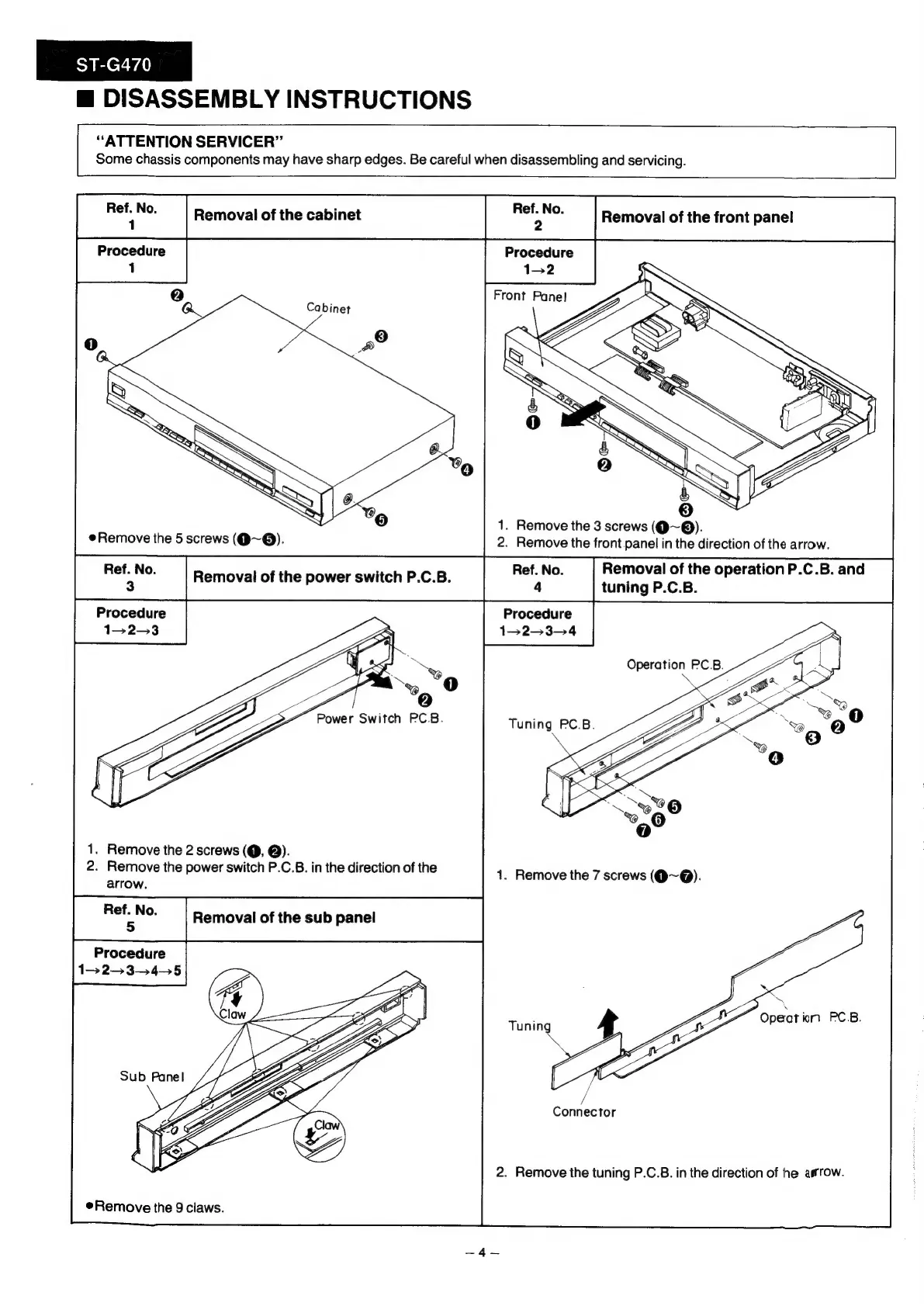
Technics ST-G470 - Removal of the Cabinet

Technics ST-G470
18 pages
Print Icon
To Next Page IconTo Next Page
To Previous Page IconTo Previous Page
Loading...
ST-G470
m
DISASSEMBLY
INSTRUCTIONS
“ATTENTION
SERVICER”
Some
chassis
components
may
have
sharp
edges.
Be
careful
when
disassembling
and
servicing.
lal
Removal
of
the
cabinet
oe
Removal
of
the
front
pane!
Procedure
Procedure
1
152
C2)
cn
ZE.
Front
Pane!
1.
Remove
the
3
screws
(@~®).
2.
Remove
the
front
panel
in
the
direction
of
the
arrow.
Ref.
No.
Removal
of
the
operation
P.C.B.
and
4
tuning
P.C.B.
Procedure
1-2-3-—4
@Remove
the
5
screws
(@~@).
Procedure
1-2-3
)
the
power
switch
P.C.B.
“Power
Switch
PC.B.
1.
Remove
the
2
screws
(@,
@).
2.
Remove
the
power
switch
P.C.B.
in
the
direction
of
the
arrow.
Procedure
1>
23.45
Opect
ion
PC.B.
/
/
Connector
2.
Remove
the
tuning
P.C.B.
in
the
direction
of
he
arrow.
Remove
the
9
claws.

Related product manuals