EasyManua.ls Logo

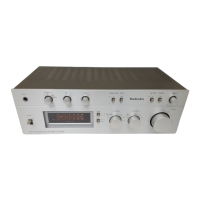
Technics SU-810 - Controls and Connections Overview; Front Panel Controls

Technics SU-810
17 pages
Print Icon
To Next Page IconTo Next Page
To Previous Page IconTo Previous Page
Loading...
SU-810
LOCATION
OF
CONTROLS
•Front
Panel
rn
Power
switch/indicator
(power)
[n
Volume
control
(volume)
|T]
Input
selector
(input
selector)
This
selector
is
used
to
select
the
sound
source
to
be
heard,
such
as
a
disc,
radio
broadcast,
etc.
[U
Tape-monitor
selectors
(tape
monitor)
The
left
selector
is
used
to
playback
or
monitor
the
sound
from
a
tape
deck
1
(or
DAT)
or
to
record
from
tape
deck
1
(or
DAT)
to
2.
The
right
selector
is
used
to
playback
or
monitor
the
sound
from
a
tape
deck
2
or
to
listen
to
the
sound
processed
by
a
graphic
equalizer.
[U
Loudness
switch
(loudness)
This
switch
is
used
when
listening
to
music
at
a
low
volume
level.
Auditory
perception
of
sound
in
the
low
frequency
range
falls
off
at
low
volume,
but
when
the
switch
is
set
to
the
“on”
position,
this
deficiency
is
compensated
for,
so
that
the
full
im¬
pact
of
the
musical
performance
can
be
enjoyed.
•Rear
Panel
[6]
Tone
control
switch
(tone
control)
This
switch
is
used
to
turn
the
tone
control
circuit
(bass,
tre¬
ble)
on
or
off.
[t]
Balance
control
(balance)
This
control
is
used
to
adjust
the
left/right
volume
balance.
[8]
Tone
controls
(bass/treble)
The
bass
control
is
used
to
adjust
the
low-frequency
sound
range,
and
the
treble
control
is
used
to
adjust
the
high-fre¬
quency
sound
range.
[9]
Speaker
selectors
(speakers)
These
selectors
are
used
to
turn
the
speaker
systems
on
and
off.
Headphones
jack
(phones)
‘Phono
input
capacitance
is
about
270
pF.
3

Related product manuals