EasyManua.ls Logo

Technics SU-V500 - Sound Adjustment Features; Adjusting Tone Quality (Bass;Treble); Adjusting Sound Balance (Left;Right); Headphone Listening Setup

Technics SU-V500
16 pages
Print Icon
To Next Page IconTo Next Page
To Previous Page IconTo Previous Page
Loading...
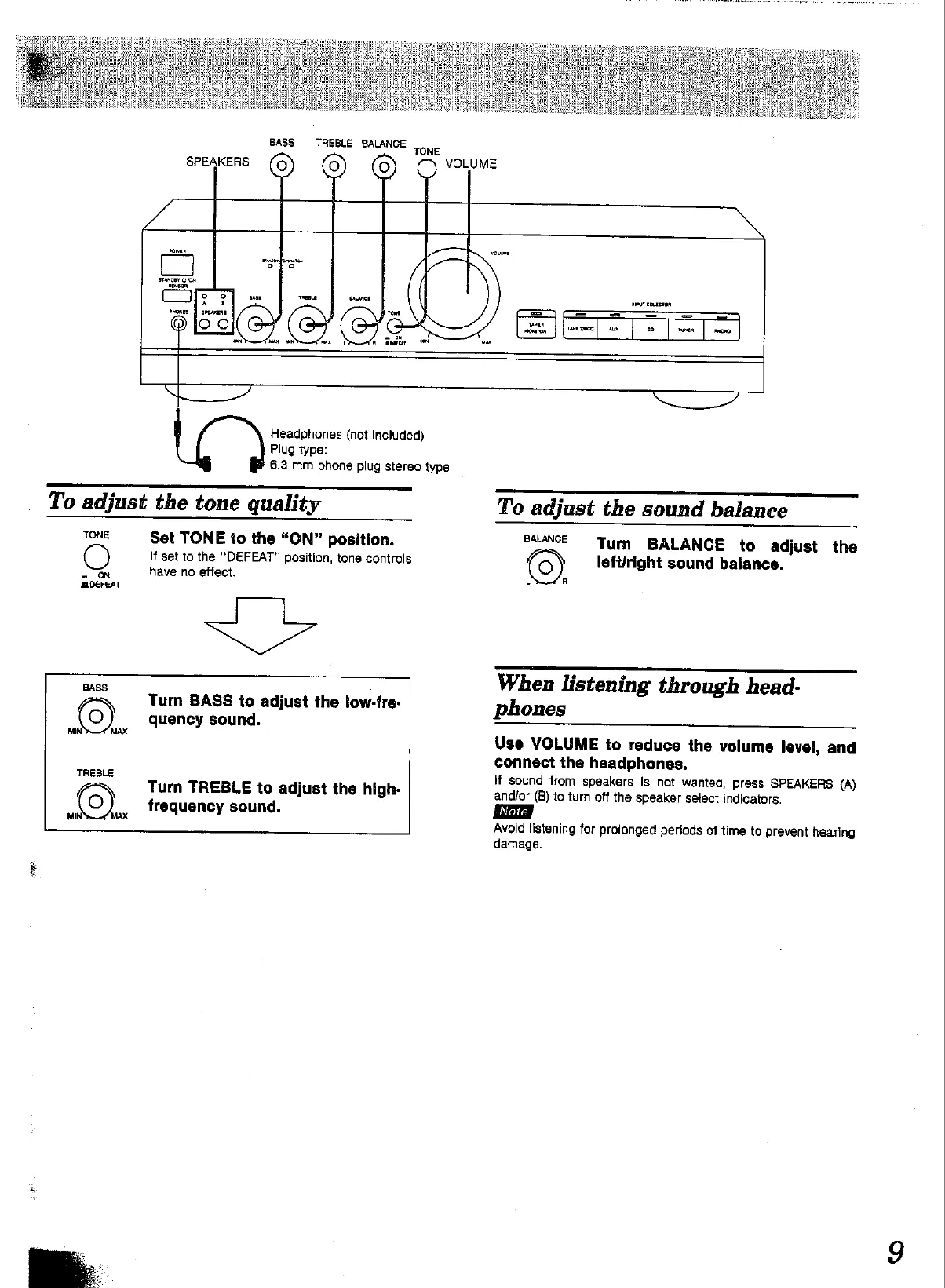
BASS
TREBLE
BALANCE
TONE
Headphones
(not
included)
Plug
type:
6.3
mm
phone
plug
stereo
type
To
adjust
the
tone
quality
TONE
Set
TONE
to
the
“ON”
position.
If
set
to
the
“DEFEAT”
position,
tone
controls
=
ON
have
no
effect.
DEFEAT
BASS
EN
Turn
BASS
to
adjust
the
low-fre-
(0)
quency
sound.
MIN
MAX
TREBLE
6)
Turn
TREBLE
to
adjust
the
high-
hax
frequency
sound.
MIN’
To
adjust
the
sound
balance
ouae
=
Turn
“BALANCE
to
adjust
the
leftiright
sound
balance.
When
listening
through
head-
phones
Use
VOLUME
to
reduce
the
volume
level,
and
connect
the
headphones.
If
sound
from
speakers
is
not
wanted,
press
SPEAKERS
{A)
and/or
(B)
to
turn
off
the
speaker
select
indicators.
Avoid
listening
for
prolonged
periods
of
time
to
prevent
hearing
damage.

Other manuals for Technics SU-V500

Related product manuals