EasyManua.ls Logo

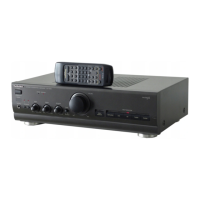
Technics SU-V570 - Front Panel Controls and Functions; Power Switch, Indicators, Input & Mode Selectors; Volume, Tone, Balance & Special Switches

Technics SU-V570
31 pages
Print Icon
To Next Page IconTo Next Page
To Previous Page IconTo Previous Page
Loading...
‘Technics
[1]
Power
switch
(power)
[2]
Operation
indicators
(amplifier
operation
monitor)
These
indicators
illuminate
to
indicate
the
operating
condition
of
this
unit.
voltage
control:
When
the
power
is
switched
ON,
this
indicator
illuminates
when
the
unit
is
in
the
operation
condition.
current
drive:
When
the
power
is
switched
ON,
this
indicator
illuminates
after
about
4
seconds
when
the
unit
is in
the
operation
condi-
tion.
If
an-abnormal
condition
in
the
circuitry
is
detected,
such
as
DC
voltage
appearing
in
the
output,
or
a
short-circuit
of
the
positive
(+)
and
negative
(—)
wires
from
the
speaker
ter-
minals,
the
protection
circuit
functions
and
this
indicator
does
not
illuminate.
[3]
Power
amplifier
direct
switch
(power
amp
direct)
This
switch
is
used
to
listen
to
the
sound
from
a
component
connected
to
the
“POWER
AMP
DIRECT”
terminals.
When
this
switch
is
pressed
inward
to
the
‘‘on”’
position,
a
superior
level
of
tone
quality
can
be
obtained,
because
the
signals
from
the
component
connected
to
the
“POWER
AMP
DIRECT”
terminals
are
sent
directly
to
the
volume
contro!
and
power
amp
section
of
this
unit.
The
mode
selector,
loudness
switch,
balance
control
and
tone
control
circuit
are
bypassed.
[4]
Volume
control/indicator
(volume)
There
are
two
types
of
volume
scale
indications:
one
for
when
the
power
amplifier
direct
switch
is
OFF,
and
one
for
when
it
is
ON
(indicator
will
illurninate.).
[5|
Input
selector
(input
selector)
This
selector
is
used
to
select
the
sound
source
to
be
heard,
such
as
a
disc,
radio
broadcast,
etc.
[6]
Recording
output
selector
(rec
selector)
This
selector
is
used
to
select
the
sound
source
to
be
record-
ed
by
the
connected
tape
deck
1
and/or
tape
deck
2.
Phono
cartridge
selector
(phono
selector)
This
selector
should
be
set
to
the
position
which
corresponds
to
the
type
of
cartridge
used
on
the
turntable.
Mode
selector
(mode)
This
selector
is
used
to
select
stereo
or
monaural
operation.
[9]
Loudness
switch
(loudness)
This
switch
is
used
when
listening
to
music
at
a
low
volume
level.
Auditory
perception
of
sound
in
the
low
frequency
range
falls
off
at
low
volume,
but
when
the
switch
is
set
to
the
‘“‘on”
position,
this
deficiency
is
compensated
for,
so
that
the
full
im-
pact
of
the
musical
performance
can
be
enjoyed.
Tone
control
switch
(tone
control)
This
switch
is
used
to
turn
the
tone
control
circuit
(bass,
treble)
on
or
off.
11]
Balance
control
(balance)
This
control
is
used
to
adjust
the
left/right
volume
balance.
[12]
Tone
controls
(bass/treble)
The
bass
control
is
used
to
adjust
the
low-frequency
sound
range,
and
the
treble
control
is
used
to
adjust
the
high-
frequency
sound
range.
[13]
Speaker
selectors
(speakers)
These
selectors
are
used
to
turn
the
speaker
systems
on
and
off.
Headphones
jack
(phones)

Related product manuals