EasyManua.ls Logo

Technics SX-KN1600 - Page 15

Technics SX-KN1600
72 pages
Print Icon
To Next Page IconTo Next Page
To Previous Page IconTo Previous Page
Loading...
()
iD
COMPOSER
SEQUENCER
il
i)
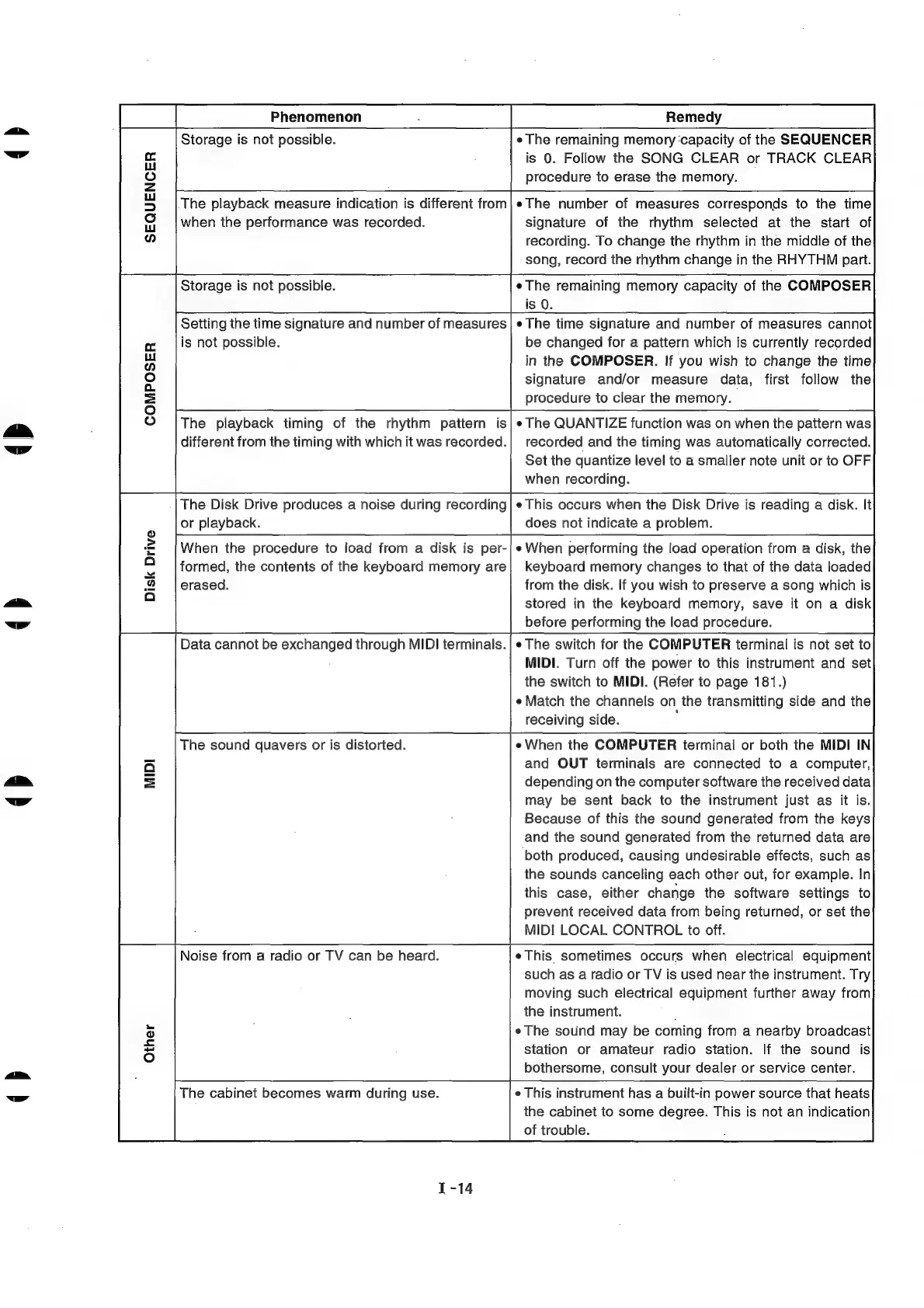
Storage
is
not
possible.
e
The
remaining
memory
‘capacity
of
the
SEQUENCER
is
0.
Follow
the
SONG
CLEAR
or
TRACK
CLEAR
procedure
to
erase
the
memory.
.The
playback
measure
indication
is
different
from
when
the
performance
was
recorded.
e
The
number
of
measures
corresponds
to
the
time
signature
of
the
rhythm
selected
at
the
start
of
recording.
To
change
the
rhythm
in
the
middle
of
the
song,
record
the
rhythm
change
in
the
RHYTHM
part.
Storage
is
not
possible.
¢The
remaining
memory
capacity
of
the
COMPOSER
is
0.
Setting
the
time
signature
and
number
of
measures
|e
The
time
signature
and
number
of
measures
cannot
is
not
possible.
be
changed
for
a
pattern
which
is
currently
recorded
in
the
COMPOSER.
If
you
wish
to
change
the
time
signature
and/or
measure
data,
first
follow
the
procedure
to
clear
the
memory.
The
playback
timing
of
the
rhythm
pattern
is|e
The
QUANTIZE
function
was
on
when
the
pattern
was
different
from
the
timing
with
which
it
was
recorded.|
recorded
and
the
timing
was
automatically
corrected.
Set
the
quantize
level
to
a
smaller
note
unit
or
to
OFF
when
recording.
The
Disk
Drive
produces
a
noise
during
recording
|e
This
occurs
when
the
Disk
Drive
is
reading
a
disk.
It
or
playback.
does
not
indicate
a
problem.
When
the
procedure
to
load
from
a
disk
is
per-|
«When
performing
the
load
operation
from
a
disk,
the
formed,
the
contents
of
the
keyboard
memory
are|
keyboard
memory
changes
to
that
of
the
data
loaded
erased.
from
the
disk.
If
you
wish
to
preserve
a
song
which
is
stored
in
the
keyboard
memory,
save
it
on
a
disk
before
performing
the
load
procedure.
e
The
switch
for
the
COMPUTER
terminal
is
not
set
to
MIDI.
Turn
off
the
power
to
this
instrument
and
set
the
switch
to
MIDI.
(Refer
to
page
181.)
e
Match
the
channels
on
the
transmitting
side
and
the
receiving
side.
eWhen
the
COMPUTER
terminal
or
both
the
MIDI
IN
and
OUT
terminals
are
connected
to
a
computer,
depending
on
the
computer
software
the
received
data
may
be
sent
back
to
the
instrument
just
as
it
is.
Because
of
this
the
sound
generated
from
the
keys
and
the
sound
generated
from
the
returned
data
are
‘both
produced,
causing
undesirable
effects,
such
as
the
sounds
canceling
each
other
out,
for
example.
In
this
case,
either
change
the
software
settings
to
prevent
received
data
from
being
returned,
or
set
the
MiDi
LOCAL
CONTROL
to
off.
eThis
sometimes
occurs
when
electrical
equipment
such
as
a
radio
or
TV
is
used
near
the
instrument.
Try
moving
such
electrical
equipment
further
away
from
the
instrument.
eThe
sound
may
be
coming
from
a
nearby
broadcast
station
or
amateur
radio
station.
If
the
sound
is
bothersome,
consult
your
dealer
or
service
center.
Disk
Drive
Data
cannot
be
exchanged
through
MIDI
terminals.
The
sound
quavers
or
is
distorted.
Noise
from
a
radio
or
TV
can
be
heard.
e
This
instrument
has
a
built-in
power
source
that
heats
the
cabinet
to
some
degree.
This
is
not
an
indication
of
trouble.
The
cabinet
becomes
warm
during
use.

Related product manuals