EasyManua.ls Logo

Technics SX-KN1600 - Keyboard Ranges 1; INITIAL SETTING Uu

Technics SX-KN1600
72 pages
Print Icon
To Next Page IconTo Next Page
To Previous Page IconTo Previous Page
Loading...
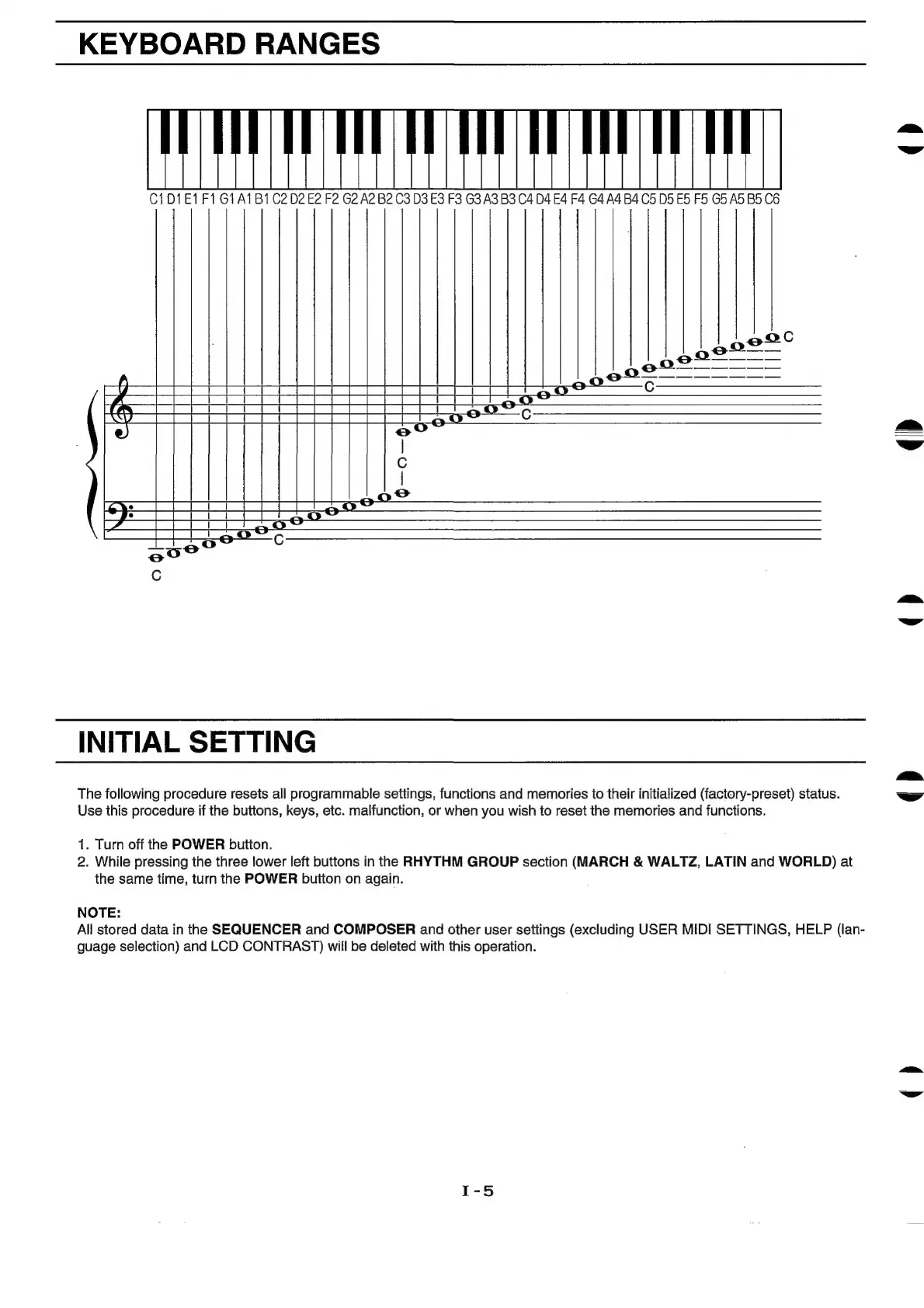
KEYBOARD
RANGES
C1D1E1F1G1A1B1
C202
E2 F2 G2
A2
B2
C3
D3
E3
F3
G3 A3 B3 C4
D4
£4
F4
G4
A4
B4 C5
DD
ES F5
G5
AD
BS
C6
aed
qD
()
INITIAL
SETTING
()
The
following
procedure
resets
all
programmable
settings,
functions
and
memories
to
their
initialized
(factory-preset)
status.
Use
this
procedure
if
the
buttons,
keys,
etc.
malfunction,
or
when
you
wish
to
reset
the
memories
and
functions.
1.
Turn
off
the
POWER
button.
2.
While
pressing
the
three
lower
left
buttons
in
the
RHYTHM
GROUP
section
(MARCH
&
WALTZ,
LATIN
and
WORLD)
at
the
same
time,
turn
the
POWER
button
on
again.
NOTE:
All
stored
data
in
the
SEQUENCER
and
COMPOSER
and
other
user
settings
(excluding
USER
MIDI
SETTINGS,
HELP
(lan-
guage
selection)
and
LCD
CONTRAST)
will
be
deleted
with
this
operation.
()

Related product manuals