EasyManua.ls Logo

Technics SX-KN1600 - Page 23

Technics SX-KN1600
72 pages
Print Icon
To Next Page IconTo Next Page
To Previous Page IconTo Previous Page
Loading...
lf
Notes
on
replacing
FLASH
ROMs
for
Type
A
The
replacement
parts
include
a
FLASH
ROM
with
a
available
memory
and
the
“PROGRAM
DISK”
which
contains
the
program
to
be
written
into
the
FLASH
ROM.
After
replacing
the
FLASH
ROM,
always
write
the
program
into
it
from
the
floppy
disk
included
in
the
replacement
parts.
For
details
on
programming,
see
“How
to
write
the
program/data
to
the
FLASH
ROMs
for
Type
A
(or
for
Type
B
in
which
the
FLASH
ROMs
has
been
installed
in
the
sockets”
below.
HZ
How
to
write
the
program/data
to
the
FLASH
ROMs
for
Type
A
(or
for
Type
B
in
which
the
FLASH
ROMs
has
been
installed
in
the
sockets)
@
Load
the
“PROGRAM
DISK’
included
in
the
replacement
parts
into
the
Floppy
Disk
Drive.
@
Hold
down
the
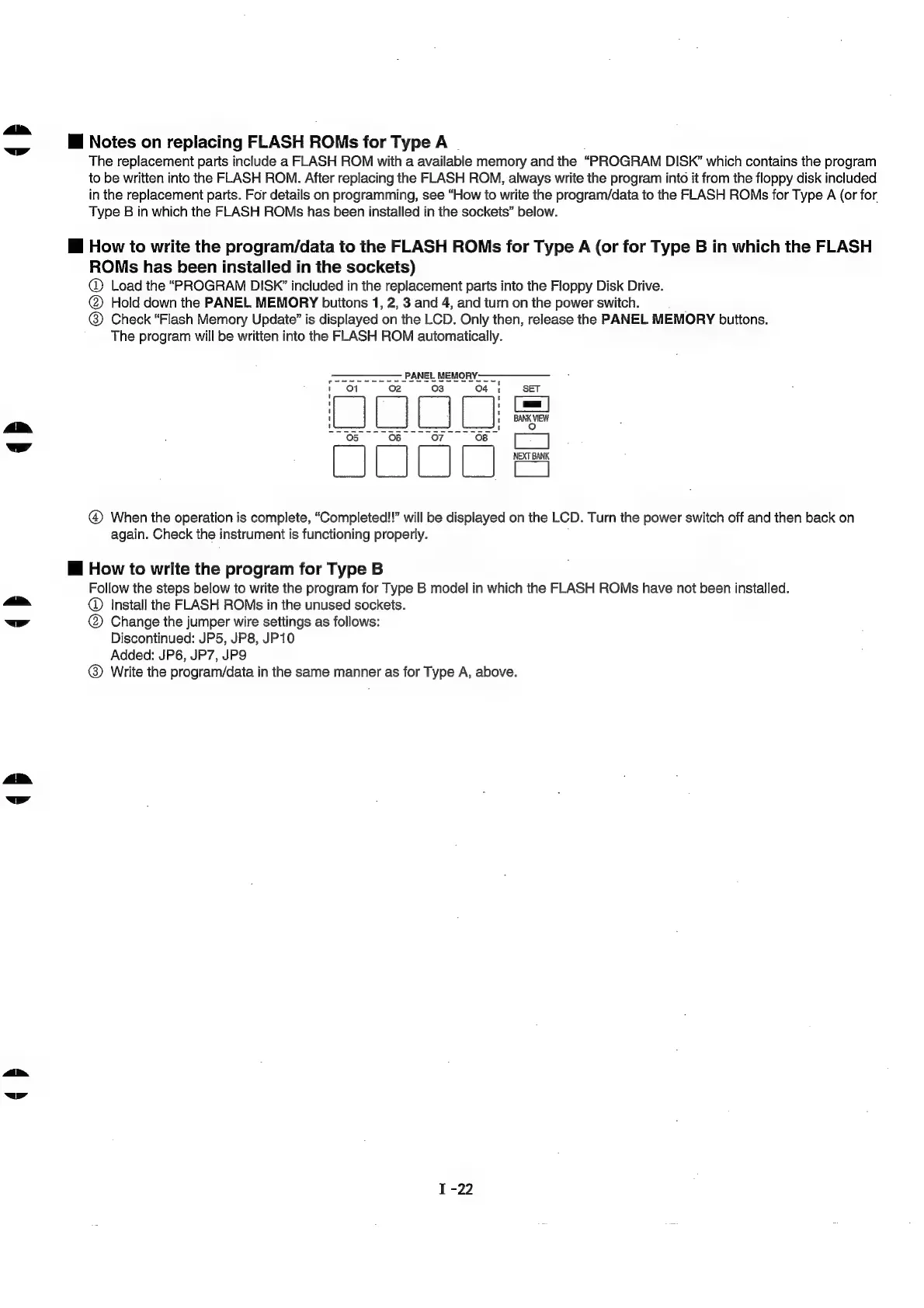
PANEL
MEMORY
buttons
1,
2,
3
and
4,
and
turn
on
the
power
switch.
®
Check
“Flash
Memory
Update’
is
displayed
on
the
LCD.
Only
then,
release
the
PANEL
MEMORY
buttons.
The
program
will
be
written
into
the
FLASH
ROM
automatically.
PANEL
MEMORY:
ec
en
a
1
Lh
A
dp
[Tel
};
[Jel [Jel
[el]
Q
a
fo)
o
9
Q
©
i
@
When
the
operation
is
complete,
“Completed!!”
will
be
displayed
on
the
LCD.
Turn
the
power
switch
off
and
then
back
on
again.
Check
the
instrument
is
functioning
properly.
i
How
to
write
the
program
for
Type
B
Follow
the
steps
below
to
write
the
program
for
Type
B
model
in
which
the
FLASH
ROMs
have
not
been
installed.
an
@
Install
the
FLASH
ROMs
in
the
unused
sockets.
ww
@
Change
the
jumper
wire
settings
as
follows:
Discontinued:
JP5,
JP8,
JP10
Added:
JP6,
JP7,
JP9
®
Write
the
program/data
in
the
same
manner
as
for
Type
A,
above.
Fe
ww
rN
bl

Related product manuals