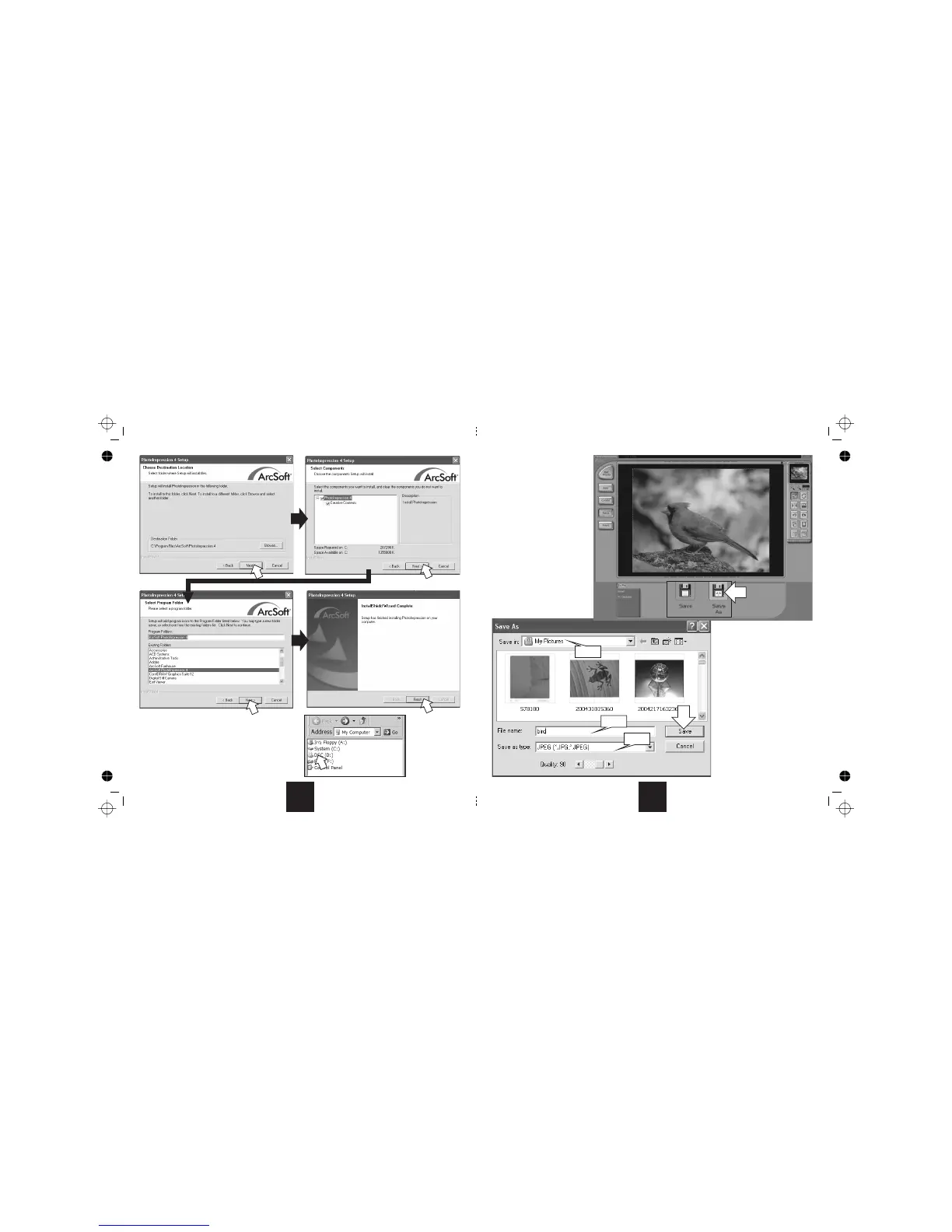
fter the program has completed:
• Navigateto“MyComputer”
• DoubleclickontheCDicon
• ThiswillbringupthewelcomescreenontheDisc
6
9. Save As.
10.
11.
12.
13. Save
Click
Selectafoldertosavethefilein
Inputthefilenameand
Selectthefiletype.
WesuggestyousavethefileasaJPG
orasaTIFF.TIFFsofferbetterquality
buttakeupmorediscspace.
JPGscanbeopenedonanycomputer
Click tosave yourphoto.
Thephotowillbesavedtothe
nominatedfile.
9
13
10
11
12
You can now savethe rest ofthe photos
in the same way. If you do not wish to
save a photo,ignore it and move to the
nextone.
15



 To Next Page