23
PC MENU OPERATION (VGA)
VGA MENU
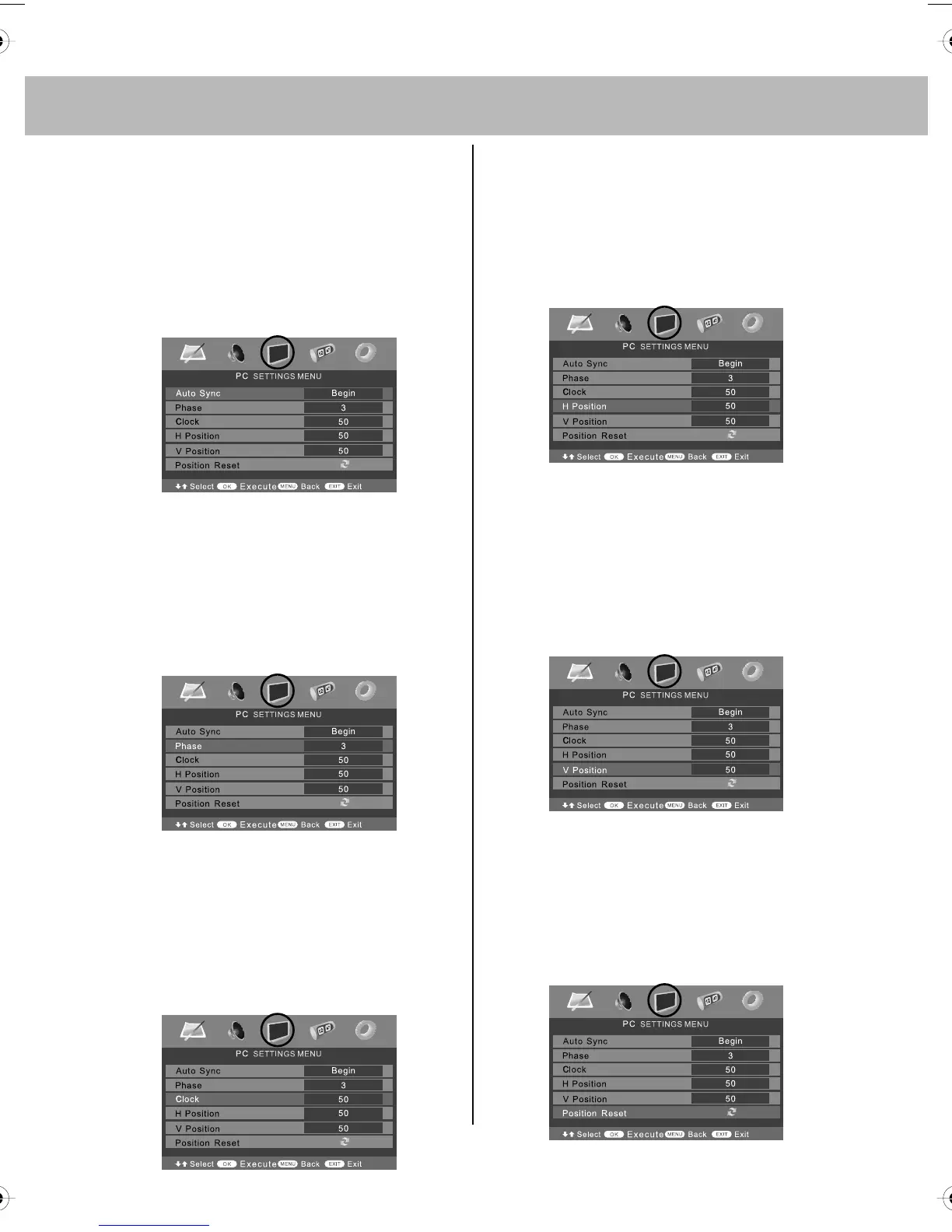
Auto Configuration of Screen
Lets you automatically configure the
television to be used as a computer monitor
1) Press [LCD-MENU] to enter menu
2) Press [>] to select PC settings
3) Press [\/] to select Auto Sync
4) Then press [>] for the TV to
automatically configure itself
5) Press [EXIT] to exit
Phase
To adjust delay time of phase in order to
reduce the noise of picture
1) Press [LCD-MENU] to enter menu
2) Press [>] to select PC settings
3) Press [\/] to select Phase
4) Then press [>] or [<] to increase or
decrease the phase
5) Press [EXIT] to exit
Clock
Alter this in order to reduce the noise
within the picture
1) Press [LCD-MENU] to enter menu
2) Press [>] to select PC settings
3) Press [\/] to select Clock
4) Then press [>] or [<] to increase or
decrease the clock
5) Press [EXIT] to exit
Horizontal Position
Changes the horizontal position of the picture
1) Press [LCD-MENU] to enter menu
2) Press [>] to select PC settings
3) Press [\/] to select H-Position
4) Then press [>] or [<] to move the
picture to left or right
5) Press [EXIT] to exit
Vertical Position
Changes the vertical position of the
picture
1) Press [LCD-MENU] to enter menu
2) Press [>] to select PC settings
3) Press [\/] to select V-Position
4) Then press [>] or [<] to move the
picture up or down
5) Press [EXIT] to exit
Position Reset
To position of the picture to the factory settings
1) Press [LCD-MENU] to enter menu
2) Press [>] to select PC settings
3) Press [\/] to select Position Reset
4) Then press [>] or [<] to move the
picture up or down
5) Press [EXIT] to exit
tesco english manual 19_14 page Page 1 19. 12. 2008 11:00:02


 To Next Page