EasyManua.ls Logo

Technika 15.4-311 - User Manual

Technika 15.4-311
43 pages
Print Icon
To Next Page IconTo Next Page
Loading...
Model No. 15.4-311
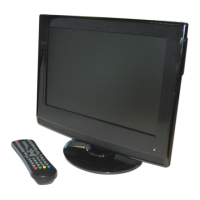
IDTV with DVD Player
User Guide
UK
Tesco-Tecknika IDTV with DVD Player UK .indd 1Tesco-Tecknika IDTV with DVD Player UK .indd 1 07/07/2009 16:40:4607/07/2009 16:40:46

Table of Contents

Questions and Answers

  • B
    Brianna ClayAug 15, 2025
    Why isn't my Technika TV DVD Combo responding to the remote control?
    • L
      Lindsey MatthewsAug 15, 2025
      If your Technika TV DVD Combo is not responding to the remote control, ensure the remote is aimed correctly and the front panel sensor is not obstructed. Also, check that the remote control batteries are inserted correctly and are not exhausted.
  • S
    Steven DennisAug 19, 2025
    What to do if my Technika TV DVD Combo has no picture?
    • M
      mcneilvictoriaAug 19, 2025
      If your Technika TV DVD Combo shows no picture, make sure the TV is powered on, the cables are securely fitted, and the aerial or external sources are connected. Try pressing the SOURCE button to change the source, turning the TV off and on, or testing a disc that you know plays.
  • M
    melissathomasAug 21, 2025
    What to do if my Technika TV DVD Combo disc does not play?
    • K
      Kelly HallAug 21, 2025
      If your Technika TV DVD Combo disc does not play, verify that the disc has been correctly loaded with the label facing away from you. Check that the format of the disc is supported and, if it is a DVD, ensure that it is Region 2.
  • A
    Amanda WilsonAug 25, 2025
    How to fix Technika TV DVD Combo controls that aren't working?
    • J
      Jonathan HuynhAug 26, 2025
      If the controls on your Technika TV DVD Combo are not working, disconnect the TV from the power supply, wait 10 seconds, and then reconnect it.
  • S
    Steven CastilloAug 28, 2025
    Why is the DVD picture quality poor on my Technika TV DVD Combo?
    • A
      alinathanielAug 28, 2025
      If the DVD picture quality on your Technika TV DVD Combo is poor, check that the disc surface is not damaged. Try cleaning the disc and ensure that the cables are fitted securely.
  • A
    Angela ReedAug 30, 2025
    Why is there no picture on some channels on my Technika TV DVD Combo?
    • W
      William McmahonAug 31, 2025
      If there is no picture on some channels on your Technika TV DVD Combo, check that the correct channel is selected and adjust the antenna.
  • J
    Joseph IngramSep 2, 2025
    Why are there spots on some or all channels on my Technika TV DVD Combo?
    • M
      Michael HenrySep 3, 2025
      If you see spots on some or all channels on your Technika TV DVD Combo, check that the antenna is correctly connected and in good condition.
  • C
    Cameron SnowSep 5, 2025
    Why is there no colour on some channels on my Technika TV DVD Combo (black & white)?
    • N
      nancy67Sep 5, 2025
      If there is no color on some channels (black & white) on your Technika TV DVD Combo, check if the same problem exists on other channels and ensure the correct picture settings are selected.
  • A
    Adam LeeSep 8, 2025
    Why is the sound quality poor on my Technika TV DVD Combo?
    • A
      Alicia McintoshSep 8, 2025
      If the sound quality is poor on your Technika TV DVD Combo, check if the sound system is correctly configured.
  • D
    Dorothy PriceSep 12, 2025
    Why some functions do not work (e.g. Angle, Search etc.) on my Technika TV DVD Combo?
    • C
      Christina Aguirre DVMSep 12, 2025
      Not all functions are available on Technika TV DVD Combo. Refer to the DVD packaging for more information.

Summary

Introduction, Setup, and Connections

Product Overview and Safety

Introduction, HDMI, safety guidelines, and package contents.

Electrical, Parts, and Remote Control

Mains supply, component identification, and remote operation.

TV Stand Fitting and Connections

Assembling the stand, connecting antenna, external devices, and wall mounting.

TV Operation and Features

Basic TV Operation and Settings

Switching on, source selection, volume, picture, and sound settings.

Channel Tuning and Management

Tuning, program editing, common interface, and timers.

System and PC Configuration

General settings, system lock, and PC input.

Advanced Modes and DVD Player

Teletext and Freeview Operation

Using teletext, EPG, reminders, and digital text.

DVD Player Operation

Disc playback, features, controls, and menu settings.

Support and Specifications

Troubleshooting and Maintenance

Resolving issues, disc care, disposal, and warranty.

Product Specifications

Technical details and specifications of the TV.

Technika 15.4-311 Specifications

General IconGeneral
BrandTechnika
Model15.4-311
CategoryTV DVD Combo
LanguageEnglish

Related product manuals