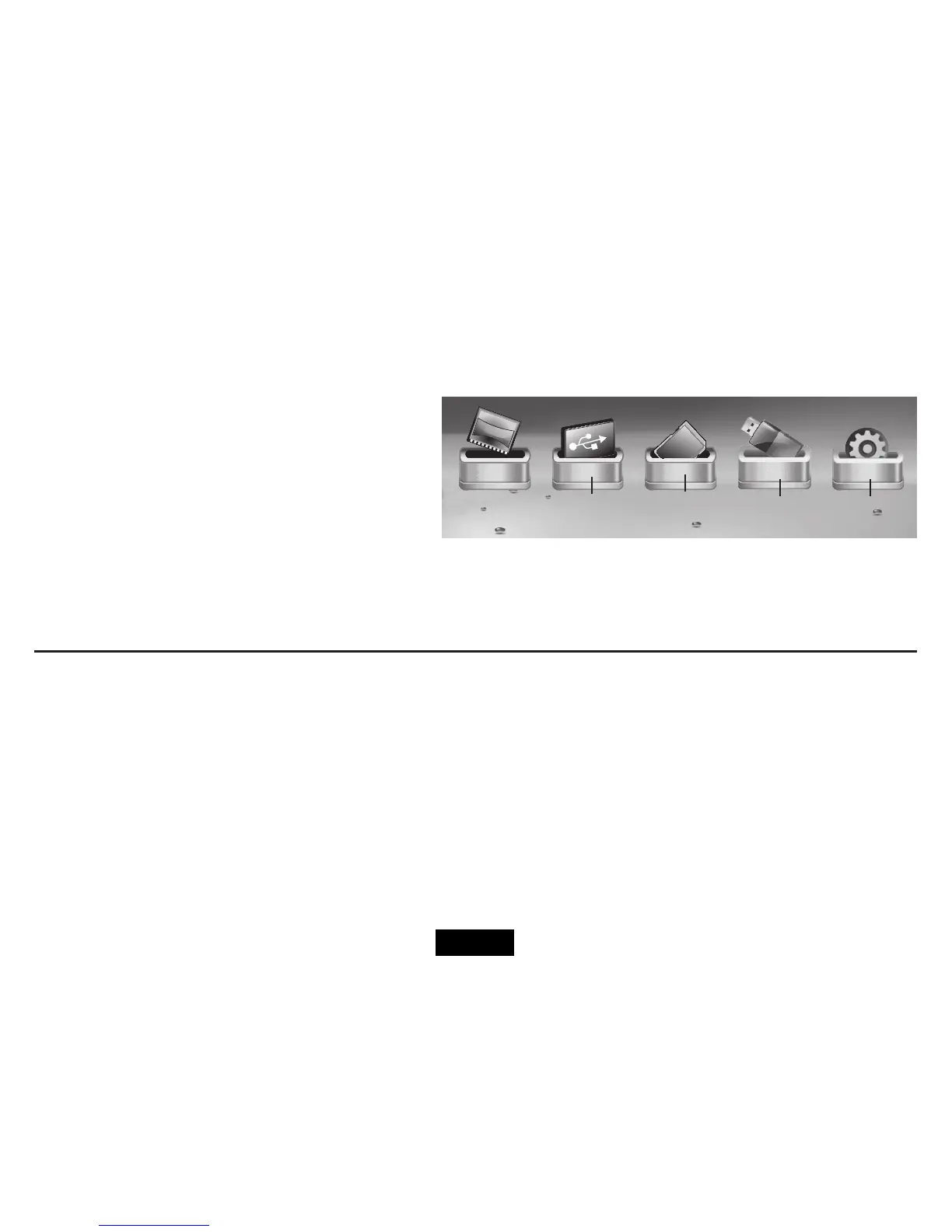
When you switch the frame on all connected devices appear
intheMainmenu.
The complete menu icons are as shown. In practice the screen
only accommodates four icons so if you have memory devices
inserted in all the slots you will not see the Setup Icon.
The current selection appears ‘out of the box’ and has a
descriptive label.
NOTE: If you have inserted a card in the frame and the icon
does not appear in the menu screen the card may need to be
formatted. See your PC manual for help.
NAVIGATING THE FRAME
Youcannavigatetheframeinthreeways.
• ViatheFrontPanel.
• ViatheRemotehandset.Thismanualconcentratesonhandsetnavigationasittheeasiest
and has the most comprehensive control functions.
• YoucanalsonavigateduringaslideshowviaaspecialOnScreenMenu.SeePage14
CF
SD
Card
etc.
NAND
(Internal
memory)
USB
Drive
Setup
Icon
MENU SCREEN AND ICONS
Page 9


 To Next Page