109
DE
EN
FR
NL
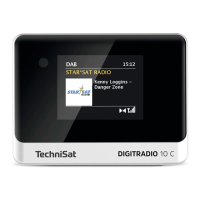
5.4.5.1 Retrieving visual displays
> Press the MENU buon and use the / buons to select the [Display
Seings] > [Display] submenu. Then press the OK buon. Select a display
option using the / and OK buons. You have the choice of viewing the
following information:
In DAB+ mode (the selected function is identified with an “*”):
[Running text] (continuous text with additional information provided by
broadcasters etc.), [Signal quality], [Channel type], [Ensemble], [Frequency],
[Bit rate and Codec] and [Date].
In FM mode (the selected function is identified with an “*”):
[Radio text] (where broadcast), [Channel type] (PTY), [Frequency], [Audio
information] and [Date].
In Bluetooth mode (the selected function is identified with an “*”):
[Status] (Device name), [Track/Artist/Album] and [Date].
Alternatively, the INFO or OK buons on the remote control can be pressed to
switch the display seing.


 To Next Page
 Loading...