EasyManua.ls Logo

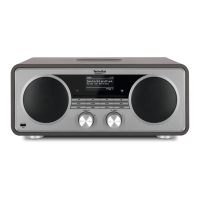
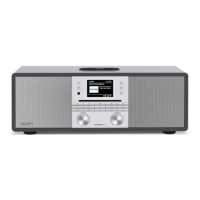
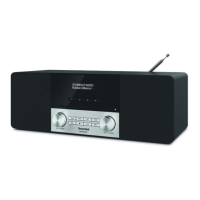
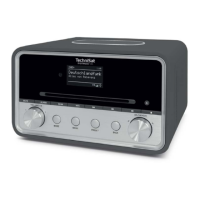
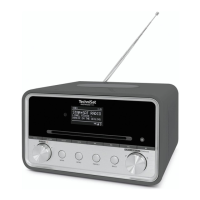
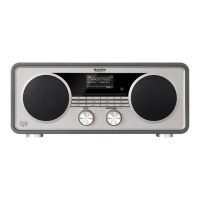
TechniSat DIGITRADIO 600 - User Manual

TechniSat DIGITRADIO 600
267 pages
Print Icon
To Next Page IconTo Next Page
Loading...
DIGITRADIO 600/630
Digital Stereo Internet, DAB+ and FM radio with 2.1 speaker system plus Bluetooth,
USB connection, CD and Spotify Connect
BDA_DIGITRADIO_600_630.indd 1 22/06/2018 09:31

Table of Contents

Questions and Answers

  • J
    Jenna HallJul 27, 2025
    What to do if my TechniSat DIGITRADIO 600 remote control does not work?
    • A
      Amy StewartJul 28, 2025
      If the remote control for your TechniSat Radio isn't working, first, ensure the batteries are correctly inserted and not low, replacing them if necessary. Also, make sure there are no obstructions between the remote and the radio. Finally, ensure you are within approximately 5 meters of the device.
  • A
    Andrew McdanielAug 1, 2025
    Why is there no sound coming from my TechniSat Radio?
    • D
      Deborah SmithAug 1, 2025
      If your TechniSat Radio isn't producing any sound, try increasing the volume. Also, if you're using a playback device, ensure it's turned on and its volume is also up. Finally, verify that you've selected the correct source on your radio.
  • B
    Brian BarrAug 6, 2025
    How to improve DAB/FM reception on TechniSat DIGITRADIO 600?
    • E
      Edward SmithAug 6, 2025
      If you're experiencing poor DAB/FM reception on your TechniSat Radio, try adjusting the antenna or repositioning the radio itself.
  • J
    Joshua WuAug 12, 2025
    What to do if my TechniSat Radio won't connect to WLAN?
    • E
      Emily HortonAug 12, 2025
      If your TechniSat Radio is not connecting to the WLAN router, check the router's signal strength to ensure it's sufficient. Also, check your router settings to confirm it accepts new connections. Finally, double-check the WLAN password and re-enter it.
  • L
    Lauren MitchellAug 17, 2025
    What to do if the display of TechniSat DIGITRADIO 600 does not switch on?
    • E
      ecarrollAug 17, 2025
      If the display on your TechniSat Radio doesn't switch on, try switching the device off using the POWER button and then switching it back on again.
  • M
    Michele DelgadoAug 21, 2025
    How to fix TechniSat DIGITRADIO 600 Radio that cannot be switched on?
    • E
      escottAug 21, 2025
      If your TechniSat Radio cannot be switched on, ensure the power supply unit is correctly connected to the mains power outlet.

Summary

Foreword

Safety

Outlines critical safety precautions to prevent hazards and damage.

Setting up the device

Description of the DIGITRADIO 600;630

The special features of the DIGITRADIO 600;630

Highlights key functionalities and capabilities of the radio.

Preparing the DIGITRADIO for operation

Step-by-step guide for initial setup and connection.

Internet radio

Selecting Internet radio stations

Guide to finding and choosing stations from the internet.

Saving Internet radio stations

Instructions on how to store favorite internet radio stations.

Playing music (UPnP & USB media)

Playing media

How to play audio files from UPnP servers or USB devices.

Spotify Connect

The DAB function

DAB radio reception

Covers tuning into DAB stations, scanning, and signal strength.

FM mode

Bluetooth

Pairing

Connecting the DIGITRADIO to other Bluetooth devices.

Audio;Playing MP3 CDs

System settings

Internet settings

Configuring network connections for internet radio.

Troubleshooting

TechniSat DIGITRADIO 600 Specifications

General IconGeneral
TypeDAB+/FM radio
Speaker Output2 x 5W
App controlNo
DisplayLCD
ConnectivityBluetooth

Related product manuals