65
DE
EN
FR
IT
NL
PL
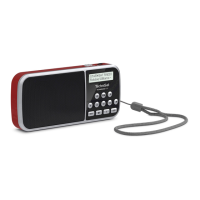
1.1 Buon description
< / > Le/right selection, station list
OK Confirm selection.
1 - 4 Favourites memory direct selection buon.
P Favourites memory (1 - 20).
MOD Source switching (DAB+, FM, USB, AUX).
M Main menu.
I Switch display.
LED Activates the side LED (torch). The LED also shows the baery
charge status:
Blue = baery is charging,
Green = baery is charged,
Red = baery is low.










 To Next Page