EasyManua.ls Logo

Technische Alternative ESR21-D - User Manual

Technische Alternative ESR21-D
40 pages
Print Icon
To Next Page IconTo Next Page
Loading...
ESR 21
Version / Versione / Versión 7.9
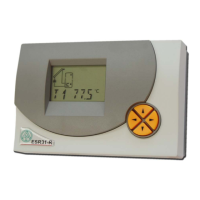
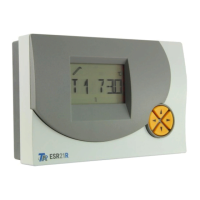
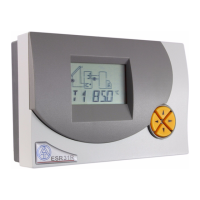
Simple solar control unit
Régulateur solaire simple
Regolatore semplice a energia solare
Regulación solar sencilla

Questions and Answers

  • D
    David LongAug 9, 2025
    Why is my Technische Alternative Control Unit displaying incorrect temperatures?
    • J
      John KellerAug 9, 2025
      If your Technische Alternative Control Unit shows values like -999 (sensor short-circuit) or 999 (interruption), it doesn't automatically indicate a hardware issue. Ensure the correct sensor types (KTY or PT1000) are selected in the menu under SENSOR, as the default setting is PT (1000). To check the sensor, replace the potentially faulty sensor with a known working one on the terminal strip to verify the display.
  • T
    Tammy KingAug 18, 2025
    What to do if my Technische Alternative ESR21-D system is not in operation?
    • H
      Hannah BrowningAug 18, 2025
      If your Technische Alternative Control Unit isn't working despite having power, check the 3.15A quick-blowing fuse that protects the control system and the output. Replace the fuse if necessary.
  • D
    Dustin CookAug 29, 2025
    How to troubleshoot a malfunctioning Technische Alternative Control Unit with realistic temperature values?
    • J
      Jennifer JonesAug 29, 2025
      If your Technische Alternative Control Unit is malfunctioning but displaying plausible temperatures, consider these checks: * Verify the program number. * Examine the switch-on and switch-off thresholds and the set differential temperatures to see if they've been reached. * Check if settings in the submenus have been altered. * Test the output in manual mode to ensure it can be switched on and off. If it responds correctly during an endurance run, the unit is likely in order. * Confirm that all sensors are connected to the correct terminals. You can test a sensor by heating it with a lighter and observing the display.

Summary

Simple solar control unit

Hydraulic diagrams

Program 1

Details the functionality of Program 1 for solar thermal systems, including storage limits.

Sensor installation

Sensor lines

Instructions for extending sensor lines and preventing measurement fluctuations.

Installing the device

Guidance on the physical installation of the control unit, including safety precautions.

Electrical connection

Data link (DL)

Information regarding the bi-directional data link and PC interface for data transfer.

Safety requirements

Essential safety regulations and guidelines for operating the unit.

Operation

The main level

Status Display (Stat)

Monitors system status and provides information on problems or extraordinary conditions.

Parameter Menu (Par)

Allows navigation and selection of icons for parameter adjustment.

Menu (Men)

Provides access to basic settings and additional functions.

The parameter menu Par

Changing a value (parameter)

The menu Men

ENGL Language selection

Procedure to switch the device's user interface language to English.

Status display Stat

Tips on troubleshooting

Malfunction, but “realistic” temperature values

Guidance for diagnosing issues when temperature readings appear normal but the unit malfunctions.

Incorrect display of temperature(s)

Steps to resolve issues related to inaccurate or erroneous temperature readings.

EU Declaration of conformity

Technische Alternative ESR21-D Specifications

General IconGeneral
Power Supply24 V AC/DC
Input Voltage24 V AC/DC
Temperature Range-10°C to +50°C
Operating temperature-10°C to +50°C
Number of analog inputs4
Number of relays4
Communication InterfaceCAN
DisplayLCD
Humiditynon-condensing
Number of digital inputs8
Analog input range0-10 V, 0-20 mA
CertificationCE
Storage temperature-20°C to +70°C

Related product manuals