Tracker Indicators
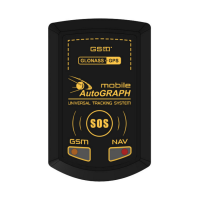
The AutoGRAPH-Mobile has two LEDs intended to indicate the device operation.
Install SIM cards, connect the battery and turn on the tracker. The tracker will be ready to
operate after location acquisition and connecting to a GSM network.
Indication of GNSS receiver operation
Location data is not available – NAVIGATION / CHARGING LED (bi-colour) ashes green
twice a second.
Searching for satellites – NAVIGATION / CHARGING LED ashes green once every
second.
Location is acquired – NAVIGATION / CHARGING LED ashes green once every three
seconds.
Indication of GSM modem operation
Searching for GSM network – GSM LED ashes once every second.
The tracker is attached to GSM network – GSM LED ashes once every three seconds.
GSM modem is turned off – GSM LED is OFF.
Indication of the battery charging
Battery charging – NAVIGATION / CHARGING LED ashes green and red simultaneously
once a second.
When turning on the tracker for the rst time it can take up to 26 seconds to start normal operation.
In normal operation mode the NAVIGATION / CHARGING LED ashes green and the GSM LED ashes
orange once every three seconds.
i
NOTE


 To Next Page