Drivers Installation
This section covers the installation procedure of the AutoGRAPH-Mobile tracker drivers.
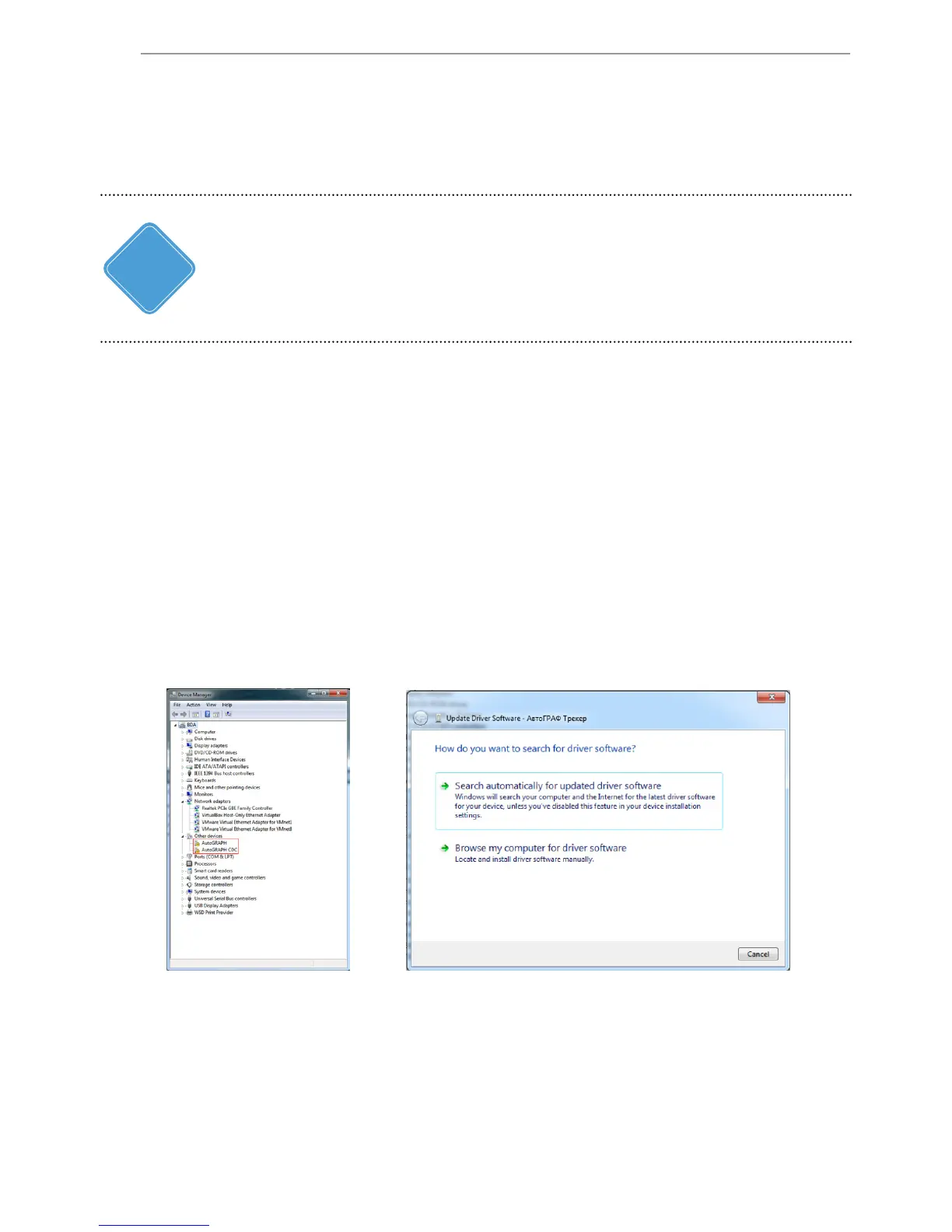
Fig.1.
5. Browse to the location where the drivers are saved (Fig.3).
6. Install the driver. When the driver is installed the system will automatically identify
connected device (Fig.4).
7. Install drivers for the AutoGRAPH CDC device following the outlined instruction.
The AutoGRAPH-Mobile drivers (AGUSBDriver) can be downloaded for free from the ocial web site of
the manufacturer (www.tk-chel.ru). The drivers are compatible with Microsoft Windows XP, 7, Vista,
8, Server 2003, Server 2008 and Server 2012.
i
NOTE
To install the device drivers onto a Microsoft Windows 7 OS:
1. Connect the tracker to your PC using USB AM – USB microB 5pin data cable. The
system will automatically search for new equipment (Fig.1). For proper operation, it is
necessary to install drivers for both AutoGRAPH and AutoGRAPH CDC devices.
2. If the Internet connection is available, Windows 7 will automatically connect to
the Windows Update website and install suitable driver for the tracker. If the Internet
connection is not available, continue with the procedure outlined below.
3. Download the archived drivers folder from the ofcial website of TechnoKom -
AGUSBDriver.zip le and extract les to a temporary directory on a hard drive.
4. Launch the driver update wizard for new equipment (AutoGRAPH device) and select
“Browse my computer for driver software” to search for drivers manually (Fig.2).
Fig.2.


 To Next Page