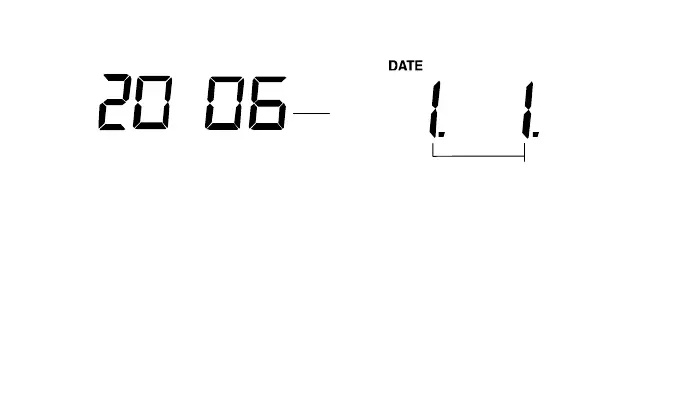
51
"Day. Month." (for 24h time display)
"Month. Day." (for 12h time display)
CALENDAR SETTING
The date default of the Weather station is 1. 1. of the year 2006 after initial set-up. Once the radio-
controlled time signals are received, the date is automatically updated. However, if the signals are not
received, the date can also be set manually. To do this:
1. Using the + key, set the year required. The range runs from 2000 to 2029 (default is 2006).
2. Press the SET key to enter the month setting mode.
3. The month digit will be flashing. Press the + key to set the month and then press the SET key to go
to the date setting.
4. The date digit will be flashing. Press the + key to set the date.
5. Confirm with the SET key and enter the “Time reception On/Off setting".
Year











 To Next Page