IZI Technology Inc, 3651 Pegasus Dr. Ste. 117 Bakersfield, CA 93308 USA.
Tel: (661) 412-3494 -- email: sales@izitechnology.com
www.izitechnology.com
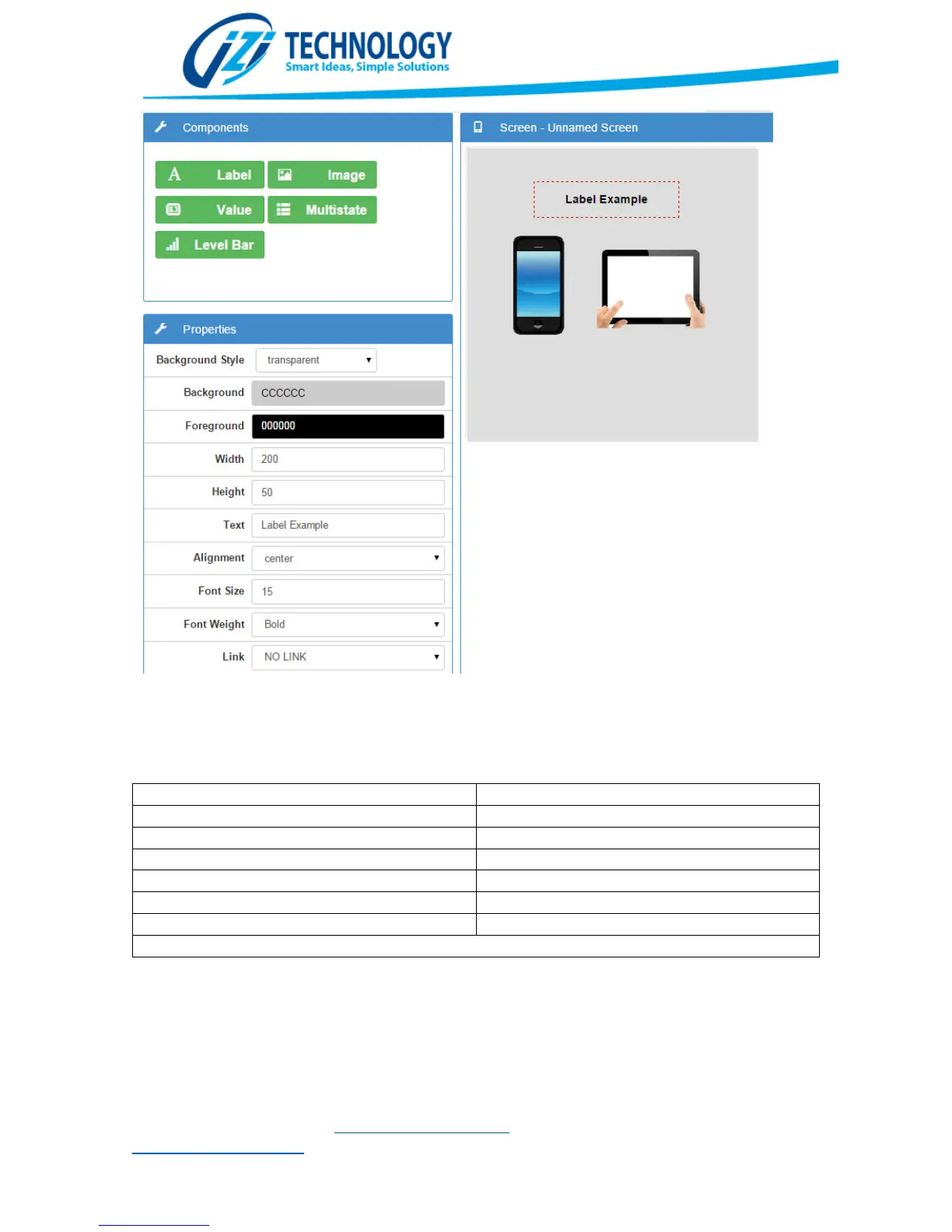
Properties that can be configured in a Label Component
Table 2 shows all the possible functions to bring data from the SPX5 database to the components
that have the Data Source Property.
Function allowed in the Data Source Property
Values allow setting a Prefix and Suffix to the value. This is really useful to show units and value
labels, without requiring to create multiple Label components for this.
The Multistate component allows configuring different strings or images to different database
values. Figure 34 shows the multistate configuration window. When the Data Source takes one of


 To Next Page