IZI Technology Inc, 3651 Pegasus Dr. Ste. 117 Bakersfield, CA 93308 USA.
Tel: (661) 412-3494 -- email: sales@izitechnology.com
www.izitechnology.com
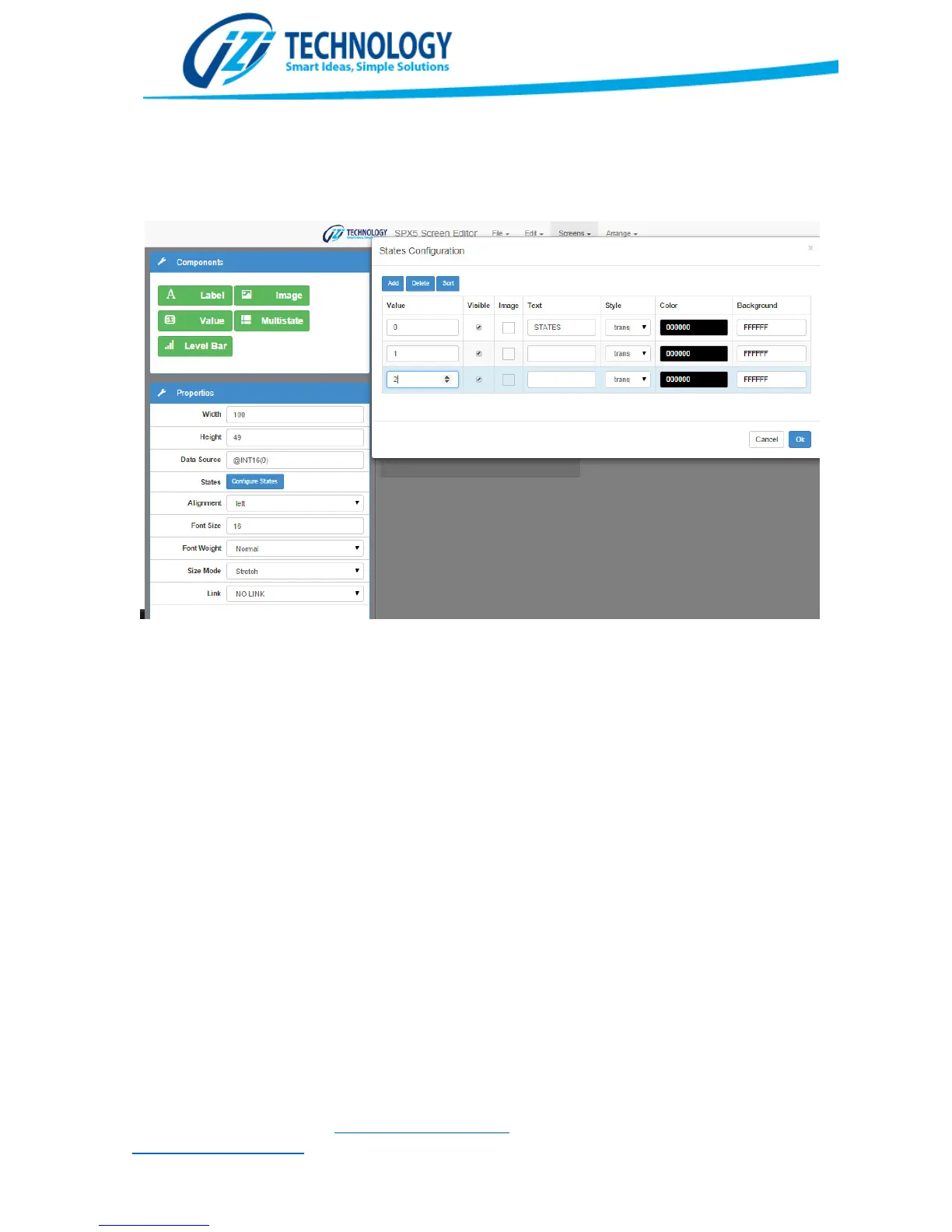
the values show on Value, the configured text or image will be shown with the selected Foreground
and Background colors.
Multistate configuration window
The Level Bar component allows changing the width or height according to a value in the database
specified by the Data Source Property. It is possible to choose the ranges of the variable as well as
the colors to be shown and the growing direction.


 To Next Page