13
Motorized Setup
1. Press the MENU button on the remote to display the main
menu.
2. Use ◀/▶ and
▲/▼ buttons on the remote to move in the
menu.
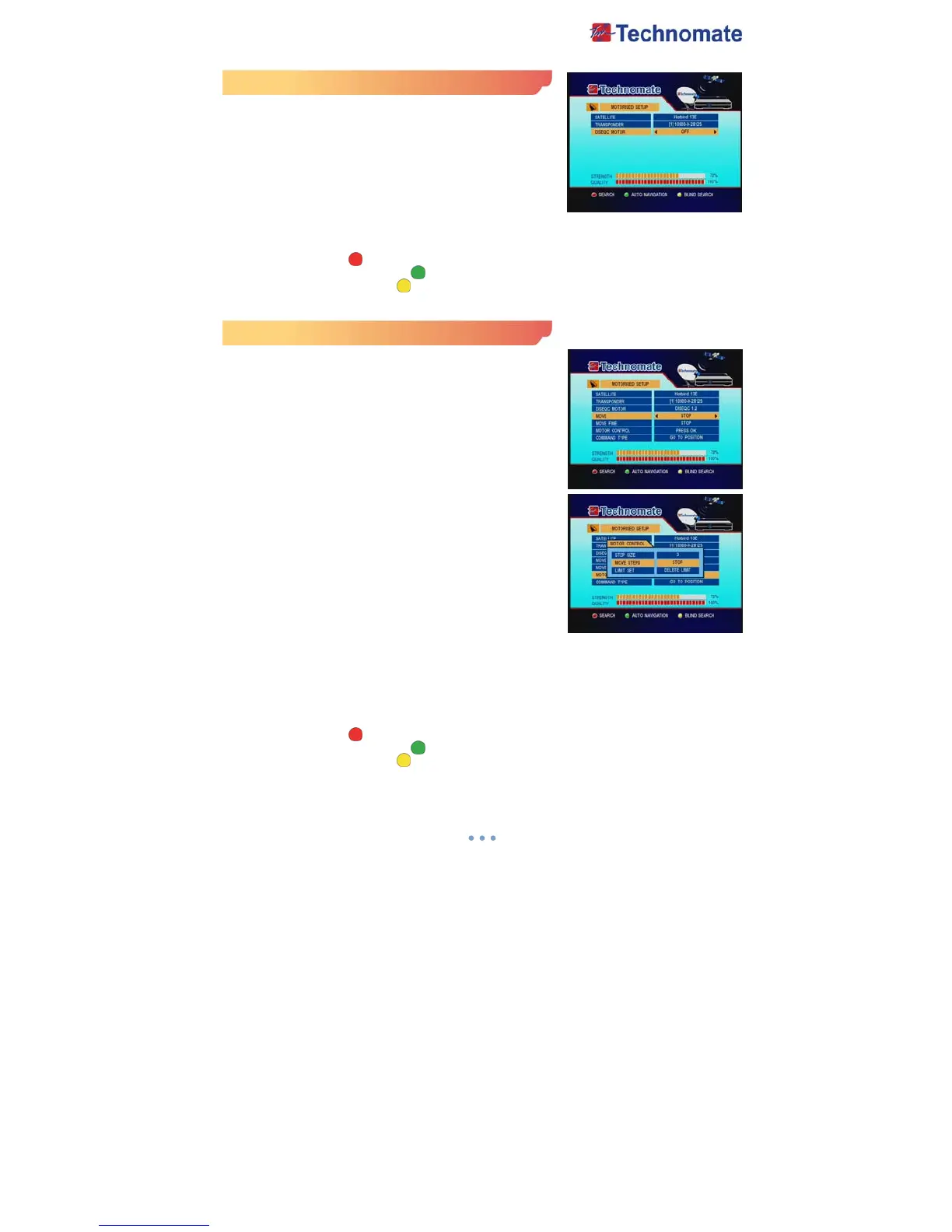
3. Select Motorized Setup, the Motorized Setup menu will
appear.
4. Select each menu you want to edit /change
- Satellite : Select any satellite by pressing ◀/▶ buttons
on the remote.
- Transponder : Select the current TP value of the selected satellite.
- DiSEqC Motor : Select DiSEqC Motor type Off/DiSEqC 1.2/USALS
5. Search : Press Red ( ) button on the remote to begin satellite search.
6. Auto Navigation : Press Green ( ) button on the remote to begin auto navigation.
7. Blind Search : Press Yellow ( ) button on the remote to begin Blind search.
DiSEqC 1.2 Setup
1. Select DiSEqC 1.2 on DiSEqC Motor, the DiSEqC 1.2 menu
will appear.
- Satellite : Select any satellite by pressing ◀/▶ buttons.
- Transponder : Displays the current TP value of the selected
satellite.
- DiSEqC Motor : Select DiSEqC 1.2
- Move : Move the dish position to west/east by pressing ◀/▶
buttons.
- Move Fine : Move the dish position 1 step at a time to
west/east by pressing ◀/▶ buttons.
- Move Control : Control motor by press OK button on the
remote.
• Step Type : Select step size to move by ◀/▶ buttons.
• Move Steps : Move the dish position to west/east by
setting value of step type.
• Limit Set : Control East Limit/Delete Limit/West
Limit/Reset System by press OK button.
• East Limit : Set current position to east limit by press
OK button.
• West Limit : Set current position to west limit by press
OK button.
• Delete Limit : Delete east/west limit by press OK button.
• Reset System : Reset the position of all saved satellites.
- Command Type :
• Save position : Save the current setting of DiSEqC 1.2 system
• Go to position : Go to the position of the saved satellite by press OK button.
• Go to Reference : Move the dish to the 0 position by press OK button
• Recalculate : Recalculate the position of all other saved satellites relative to the known
position.
2. Search : Press Red ( ) button on the remote to begin satellite search.
3. Auto Navigation : Press Green ( ) button on the remote to begin Auto Navigation.
4. Blind Search : Press Yellow ( ) button on the remote to begin Blind Search.



 To Next Page