4.1. Switching Channel
● To display all channels list, press the OK key on the remote control.
● Use the ▲▼ keys to search the required channel one by one, and the ◄►keys for each page and
press the OK key to watch the selected channel.
(Note : An Euro dollar sign may be on some entries, indicating Pay-TV service using CAS system . To
watch the Pay-TV services, you may need the CAM and smartcard with entitlement)
4.2. Volume Control
● Press the VOL+ or VOL- key to control audio volume.
● Press the MUTE key to turn the sound on and off.
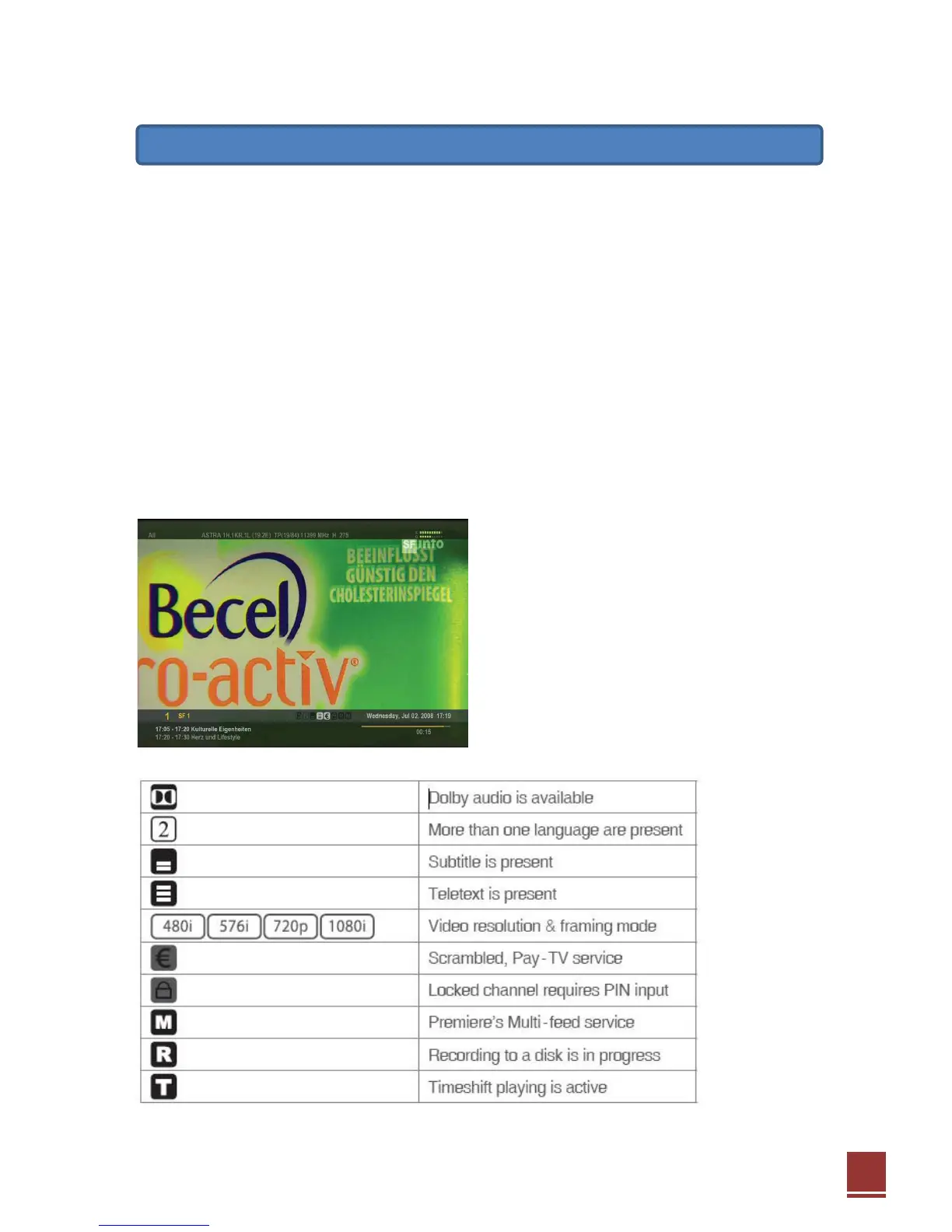
4.3. Information Banner
● Press the INFO key to see general information of
the current channel or file.
● Info. included with channel name, current time,
signal level/quality, displaying the stream
information.
● There are small icons to show the program specific information.


 To Next Page