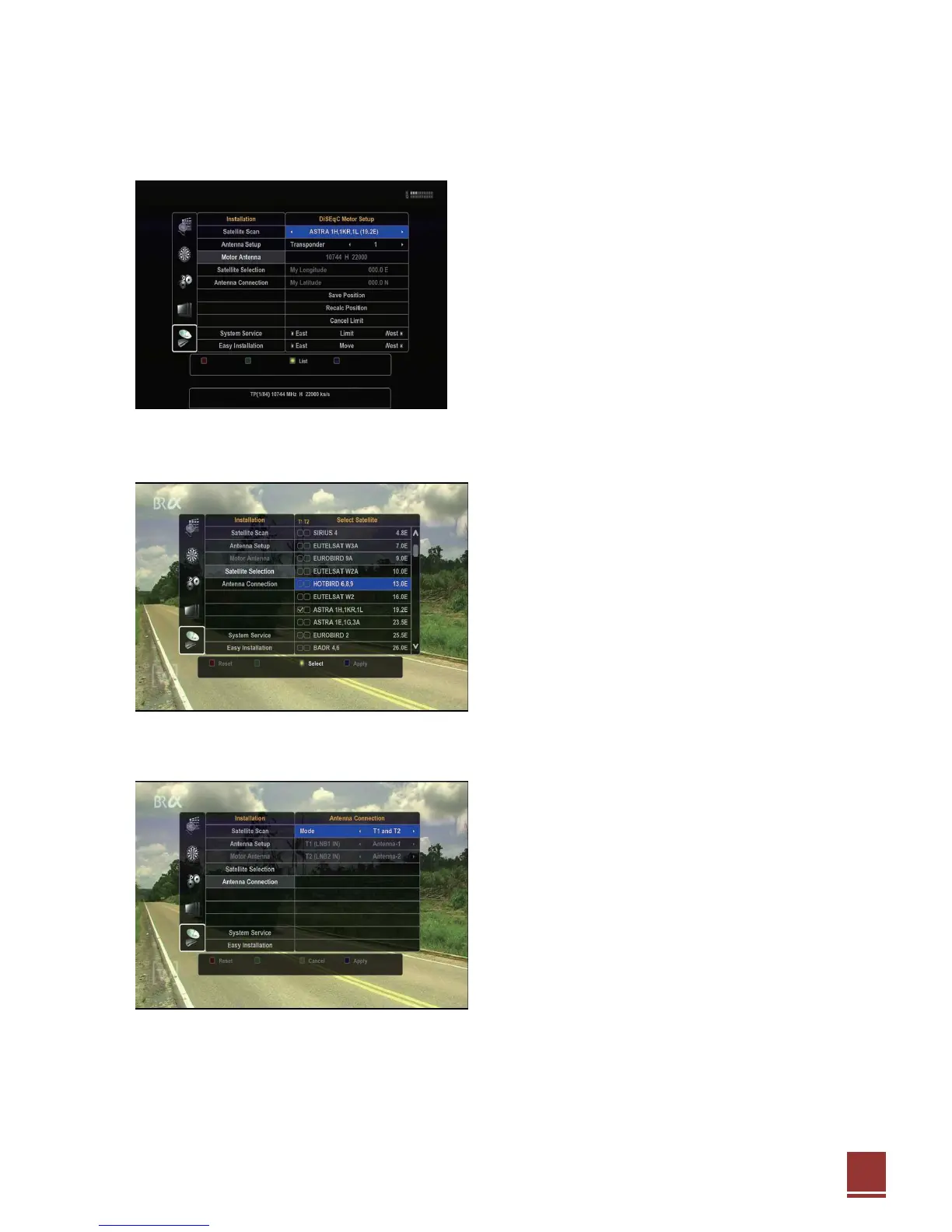
6.6.3. Motor Antenna
If there are two Motor Antenna mode DiSEqC1.2 or USALS in your system above, Select below.
● Positioner Name(DiSEqC motor setup).
● TP name.
● My Longitude.
● My Latitude.
● DiSEqC 1,2 : Save Position, Recalculate Position.
● USALS : Goto X, Goto Reference.
● Cancel Limit.
● East - Limit – West
● East – Move –West
6.6.4. Satellite Selection
☞ Please see the 5.5 Step-5 Satellite Selection
6.6.5. Antenna Connection
☞Please see the 5.4 Step-4 Antenna Connection
※ LNB(Low Noise Block) is usually located at the
Satellite dish antenna. If you are unsure, do NOT
change the default settings).
6.6.6. System Service
☞ The system has following software components in the flash memory and you can update with new
one selectively from an USB disk. They can be backuped to/restored from an USB disk.


 To Next Page