stretching of the video.
● Convert 4:3 to (Pillar-Box, Mixed, Zoom, Full) : Selects the way to show 4:3 video on 16:9 TV screen.
● TV Standard : Set the standard in your country: PAL for many European countries and China, NTSC
for USA, Japan, and Korea.
● SPDIF Output (Decoded, Bit Stream) : Selects the optical output type of audio.
- Decoded – Output the PCM type down mixed audio output.
- Bit Stream – Bypass the audio stream to the optical output untouched.
● SPDIF Delay (0ms,10ms, 20ms, ........, ~ 500ms): When using S/PDIF (Sony/Philips Digital Interface)
for digital audio, you can select the option for Sync delay.
5.4. Step-4 Antenna Connection
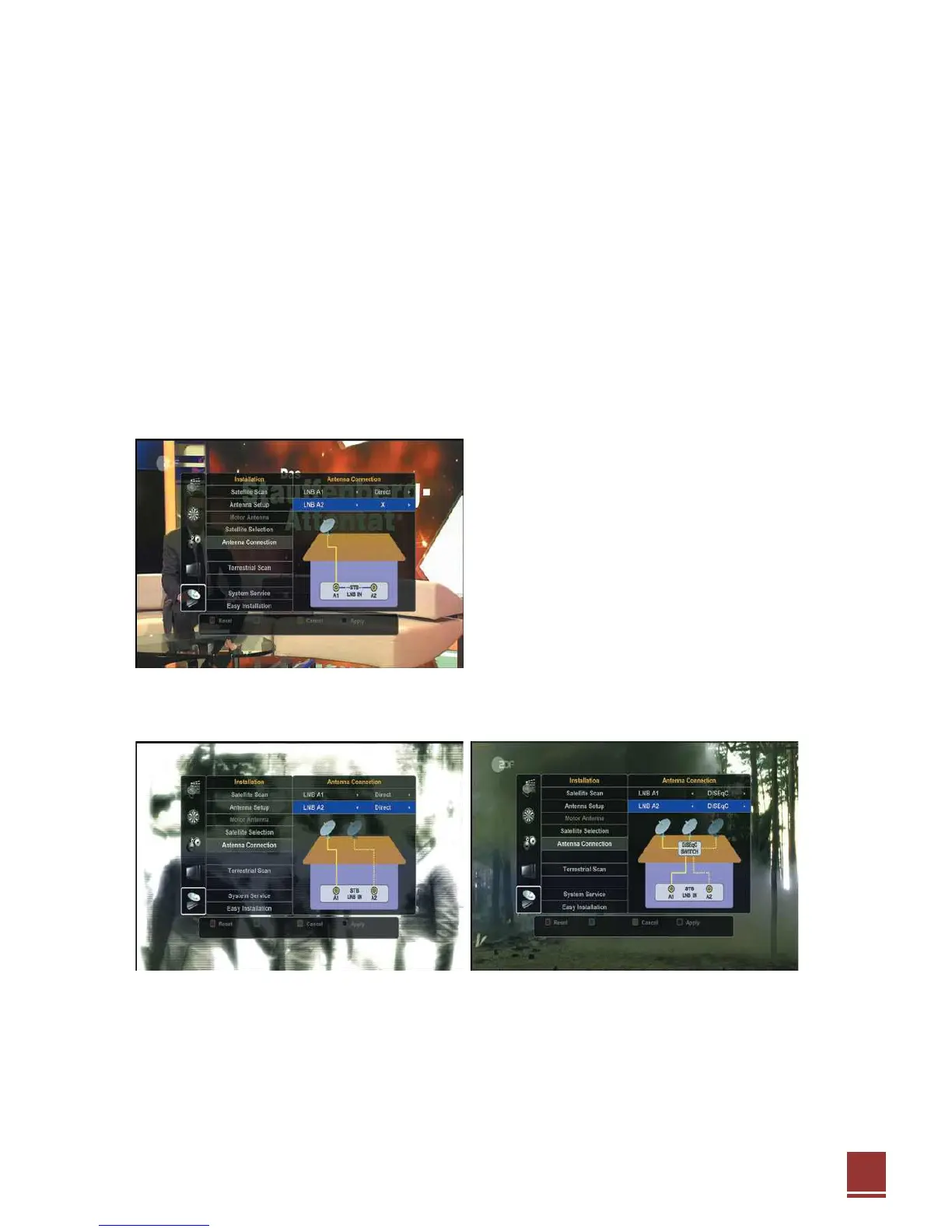
Specify your antenna connection.
● If you have only one antenna cable for one dish
antenna.
Select “Direct” mode and connect it to LNB A1.
Our receiver has two tuners and it supports
“Internal Loop-through”. So you can connect two
separate antennas to each tuners or connect one
antenna to LNB A1 tuner and internally loop-through
to LNB A2 tuner. So you don’t have to externally
connect loop-through. In this mode, two tuners
should have the same control signal such as
polarization and 22KHz tone.
● Select "Direct" mode of LNB A1 & LNB A2 both if you have two dish antennas separately.
● If you have one antenna cable for two or more dish antennas with DiSEqC switch, Select “DiSEqC”
mode and connect the antenna cable to LNB A1 connector.
※ Note : LNB (Low Noise Block amplifier) is located at the satellite dish antenna.


 To Next Page