© Technosoft 2007 43 IBL2403 Technical Reference
Use one of the TML_LIB motion libraries to control the drives/motors from your
host/master. If your host is a PC, TML_LIB offers a collection of high level motion
functions which can be called from applications written in C/C++, Visual Basic, Delphi
Pascal or LabVIEW. If your host is a PLC, TML_LIB offers a collection of function blocks
for motion programming, which are IEC61131-3 compatible and can be integrated in
your PLC program.
Implement on your master the TML commands you need to send to the drives/motors
using one of the supported communication channels. The implementation must be done
according with Technosoft communication protocols.
Combine TML programming at drive level with one of the other options (see Section 5.3)
4.2.1. Establish communication
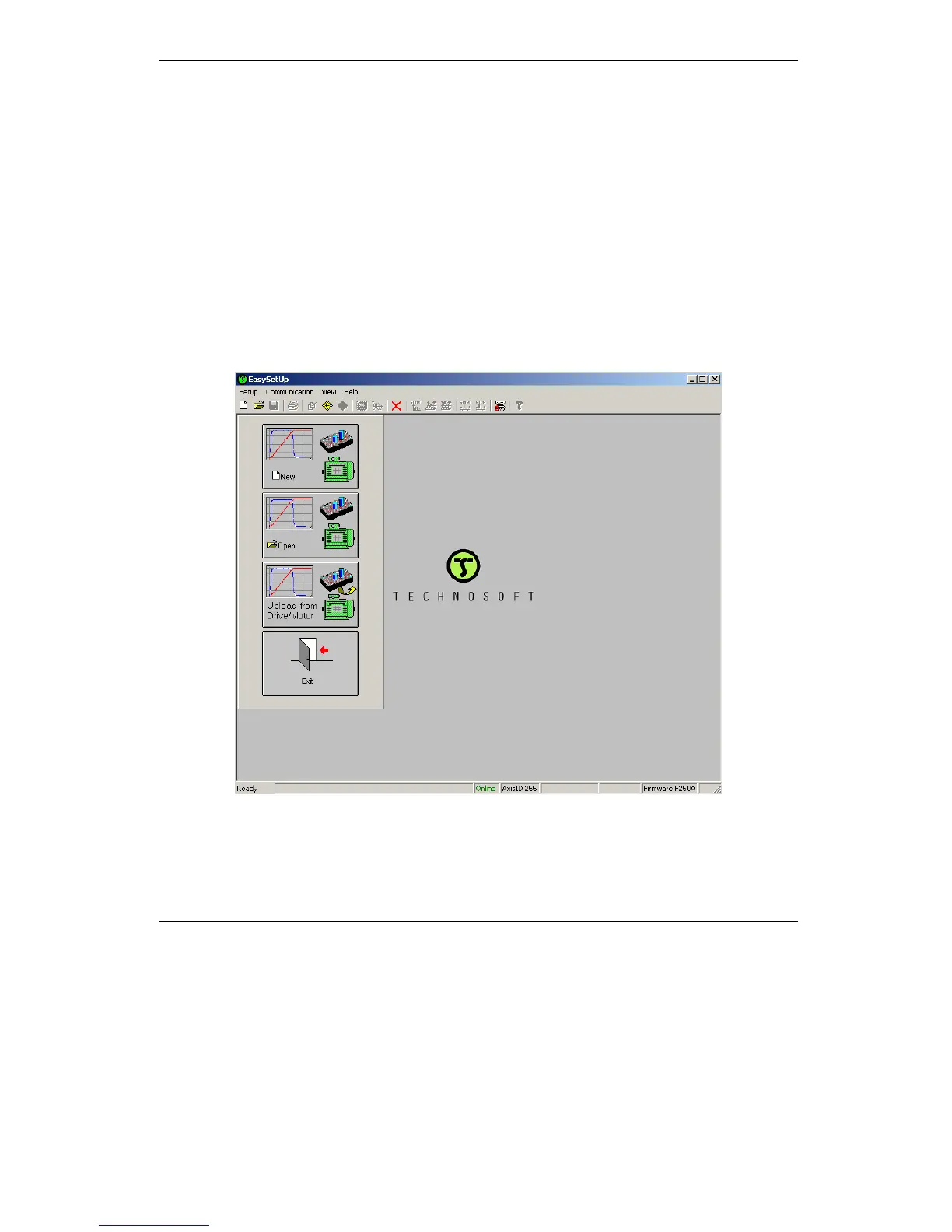
EasySetUp starts with an empty window from where you can create a New setup, Open a
previously created setup which was saved on your PC, or Upload the setup from the drive/motor.
Before selecting one of the above options, you need to establish the communication with the drive
you want to commission. Use menu command Communication | Setup to check/change your
PC communication settings. Press the Help button of the dialogue opened. Here you can find
detailed information about how to setup your drive and do the connections. Power on the drive,


 To Next Page