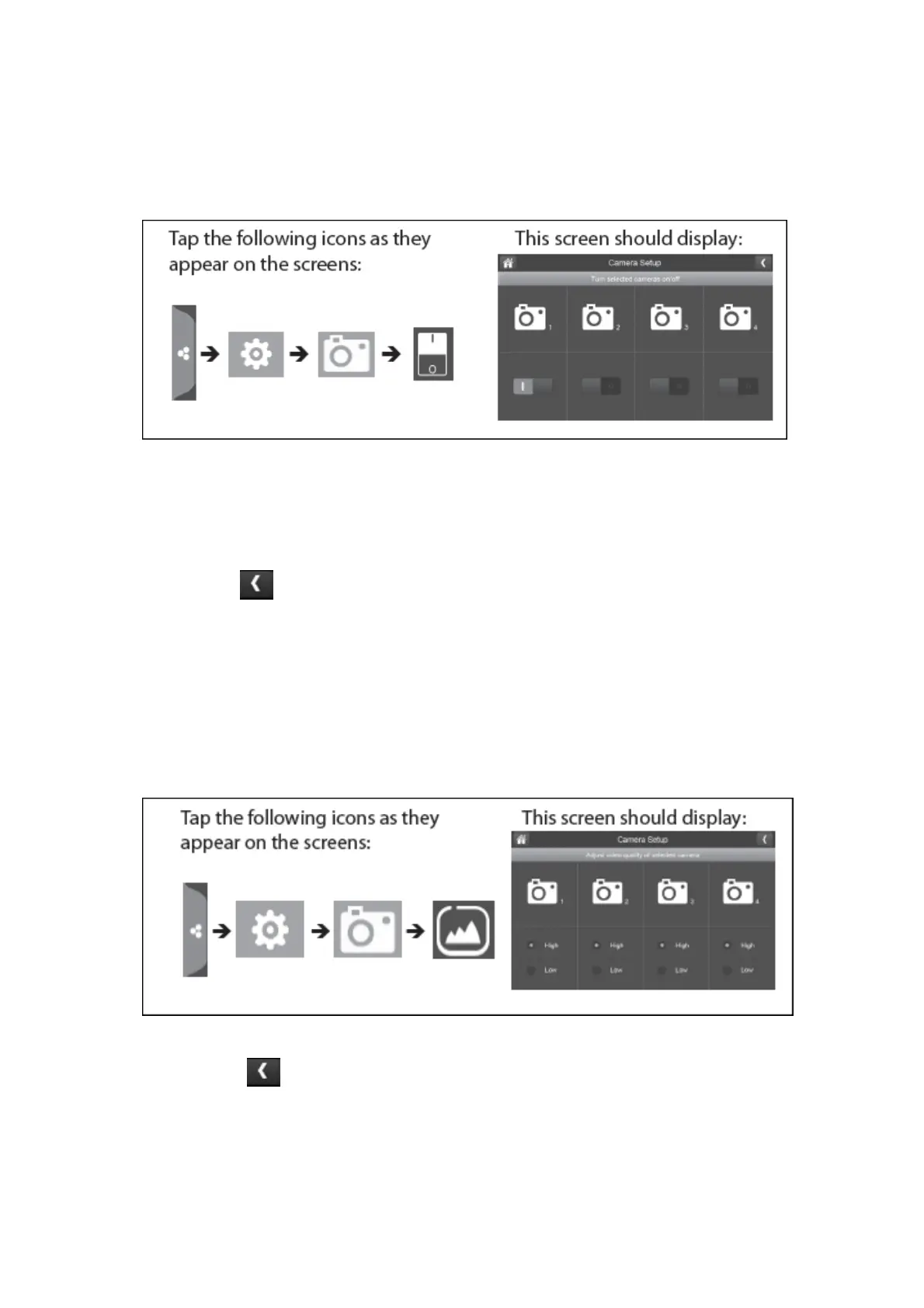
On/Off:
When you add a camera to your system, pair up the camera with the monitor and the system
will automatically turn it on.
1. Press the switch bar under the camera you want to turn on or off.
2. The switch bar indicator will turn green when the camera is on. It will be greyed out
when the camera is off.
Please Note: Although the camera is turned off, it is still powered on. The monitor will
not receive video signals from that camera.
3. Press the left arrow to return to the previous menu.
Resolution:
You can adjust the resolution between high and a low frame rate for each camera.
Please Note: When you only have 2 cameras paired it will record at 25fps however if you have
4 cameras then it will record and display at 15fps.
1. Press the high or low option to set the frame rate for each camera.
2. Press the left arrow to return to the previous menu.



 To Next Page