"
"
"
"
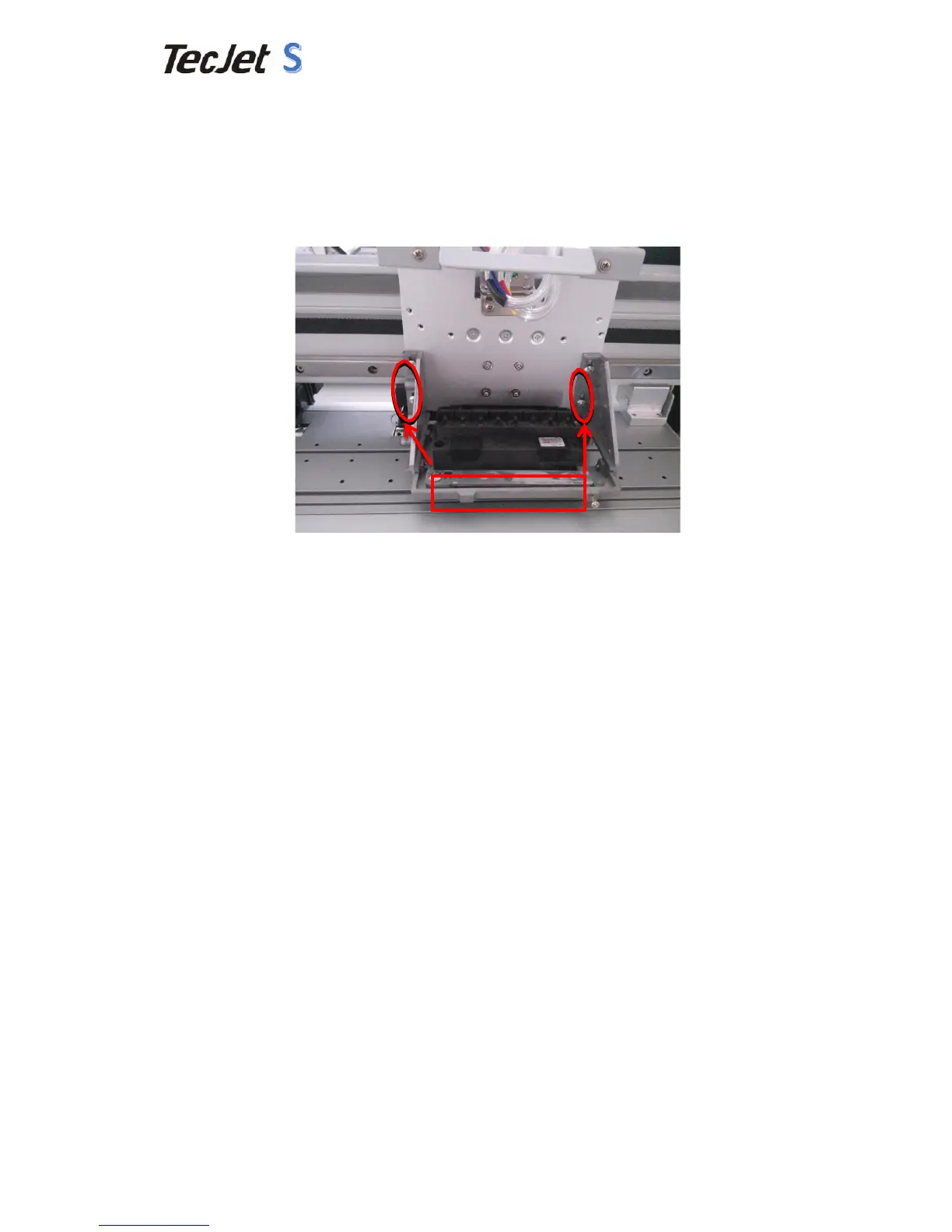
2.8 Distance"between"Printhead"and"Media"
Printhead"base"can"be"adjusted"according"to"Media"thickness."The"best"distance"
between"printhead"and"media"is"1.5mm,"not"more"than"2mm."Media"should"be"
smooth."Adjust"the"M4X8"bolts"as"image"shows,"the"distance"will"be"changed"
accordingly.(Example"at"DX5"Head)"
"
2.9 Ink"Installation"
1) Keep"ink"out"of"the"reach"of"Children."If"it"enters"your"eyes"or"splash"on"your"
clothes,"please"flush"with"plenty"of"water."
2) Clean"ink"tube"with"our"clean"flush."
3) The"temperature"of"ink"should"be"better"kept"between"18℃—28℃."
4) After"open"the"inks,"it"should"not"be"kept"for"a"long"time."Please"use"it"ASAP."
5) Don’t"shake"the"ink"bottl es."Don’t"pollute"environment"by"throwing"ink,"ink"


 To Next Page