"
"
"
"
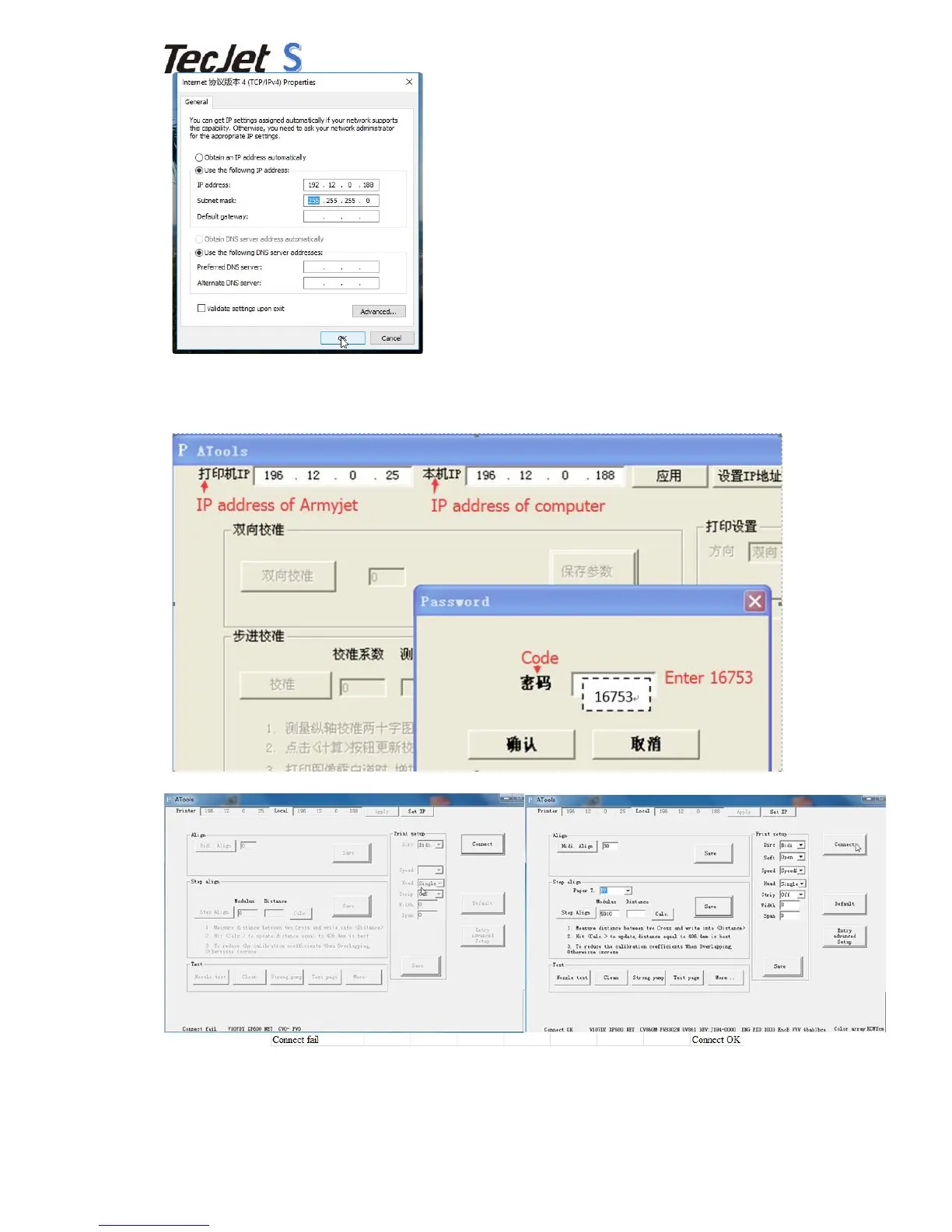
3.3 Set"Calibration"IP"Address"
Step"one:Set"the"Calibration"IP"address"as"below."
"
Step"two:Press"the"“Connect”"and"see"if"the"IP"succeed."
"
3.4 How"to"Use"Calibration"Software"
1
)
Vertical"Calibration,"adjusting"printhead"
Open"the"calibration"software,"after"connecting"the"printer,"press"“More”"first"and"then"press"“Vert."
test”"


 To Next Page