"
"
"
"
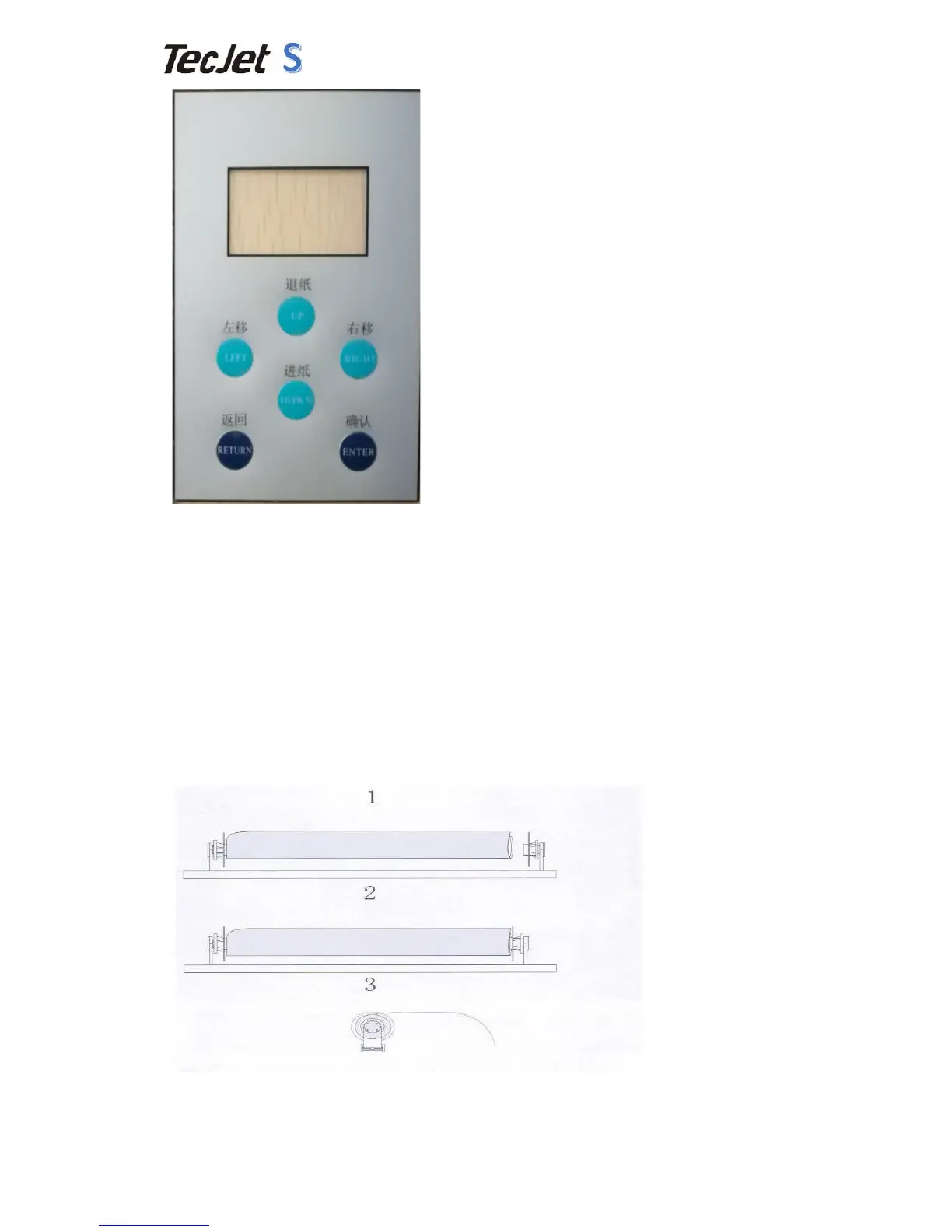
1) Press"right"or"left"button"to"control"the"carriage"movement."Press"right"long,"
carriage"moves"to"right;"press"left"long,"carriage"moves"to"left."Release"button,"
carriage"stops."
2) Press"Up"and"down"to"make"forward"or"back"after"entering"the"menu."Control"
media"to"feed"or"not."
3) Return:"Back"or"cancel"what"you"do."
4) Enter:"Confirm"your"order."
5) When"printers"go"on"standby,"press"right"to"enter"cleaning"menu."
2.7 Media"Installation"
Scroll"media"is"better."Keep"media"direct"and"keep"media"parallel"with"platform."
Media"should"be"smooth"and"complete."
Before"install"media,"lift"up"the"pressing"handle."After"installing"media,"you"need"to"
lift"down"the"pressing"handle."


 To Next Page