"
"
"
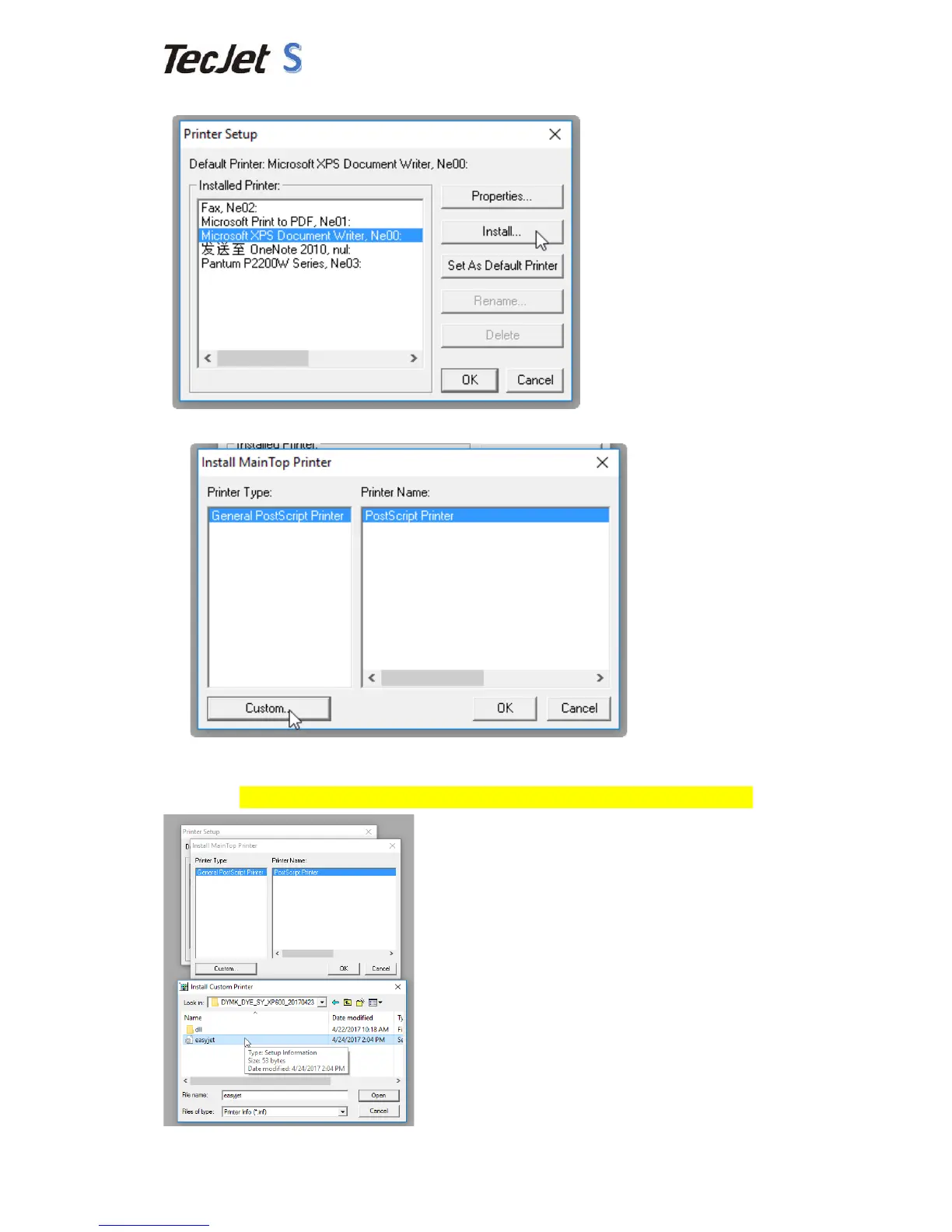
4.8 Step"Eight:Select"the"“Microsoft"XPS"Document"Writer,Ne00”"and"press"“Install”."
"
4.9 Step"Nine:Press"“Custom”."
"
4.10 Step"Ten:Copy"the"Color"Curve“DYMK_DYE_SY_XP600_20170423”"from"our"CD"
disk"to"Desktop,"and"select"the"“easyjet”(File"inside"that"folder)"and"press"
Open.(The"Color"Curves"is"different"of"Epson"DX5,DX7,XP600,5113"printhead)."
"
"


 To Next Page