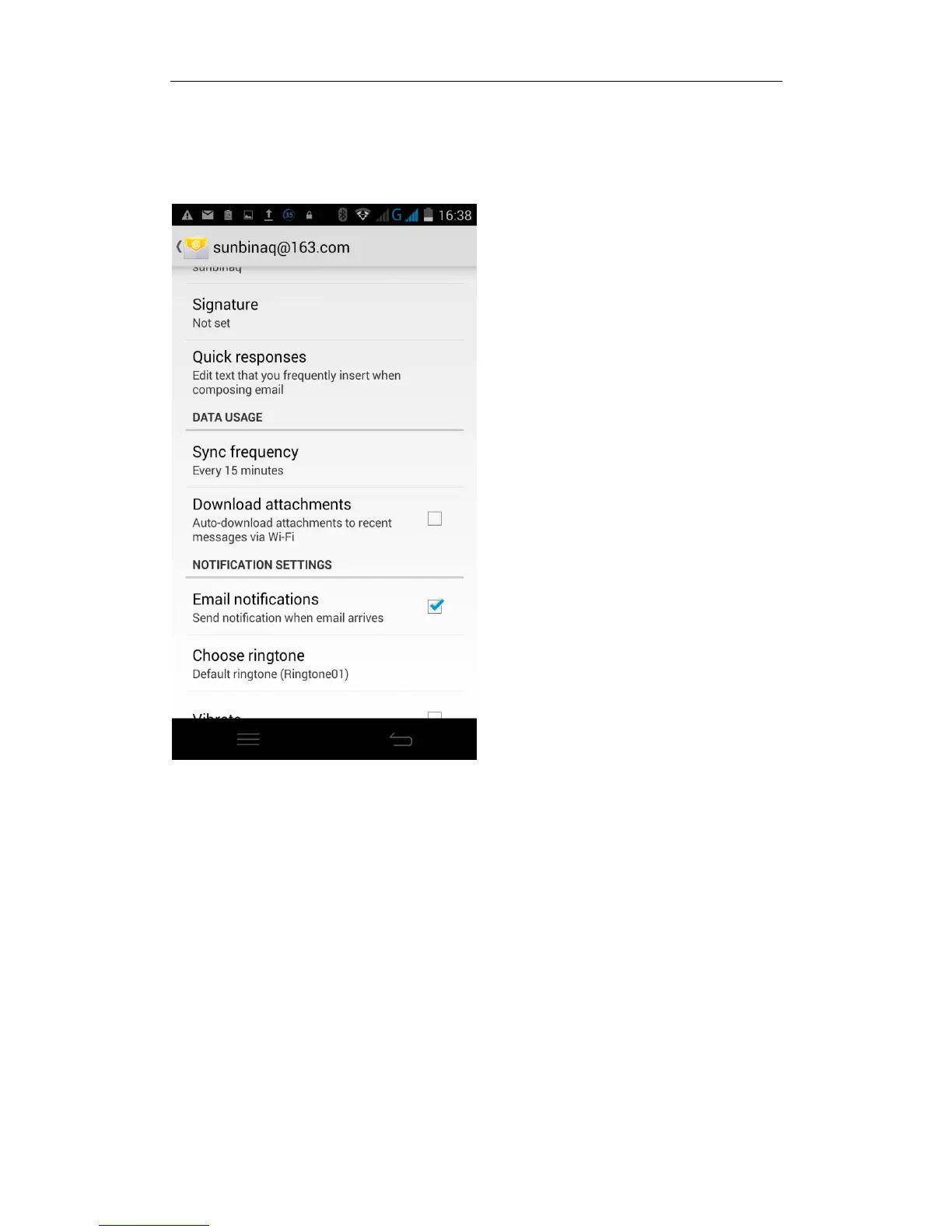
Email Sync Frequency setting
Enter the Program Group screen -- "Select "Email" application - Click the menu
button -- select “setting” function -- select account -- select “Sync Frequency"
function
Desktop features
The common application will be added into the desktop interface.
Desktop interface into the program group -- Select the desired application --
long pressing the application, the application will be placed to the desktop
interface.


 To Next Page