24
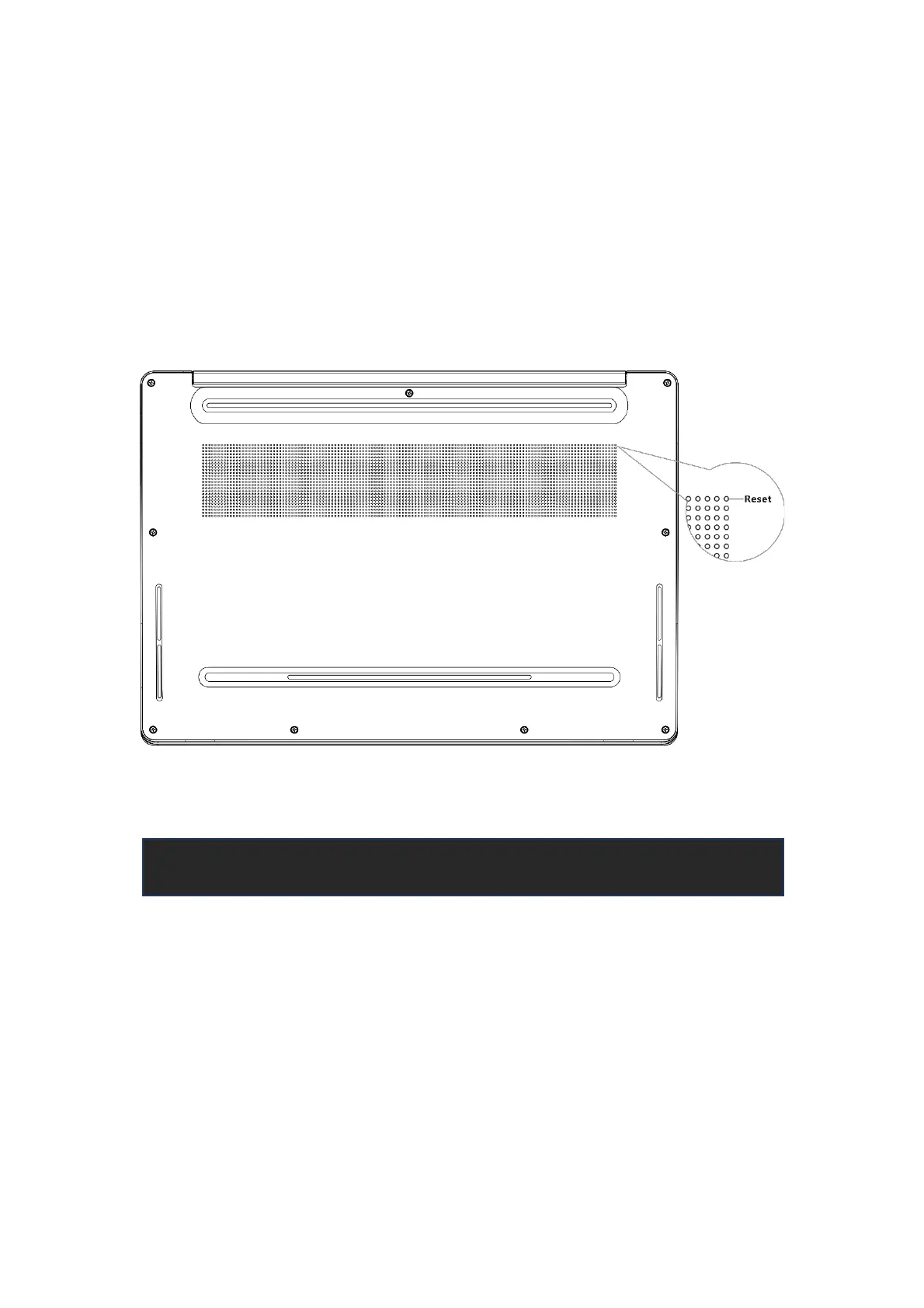
● Reset.
When your computer encounters a system crash, blue screen, downtime, etc. during
use, or other situations that cause it to fail to work normally, you can find the Reset
button, press it with a tool (as shown in the figure) to automatically power off and
then restart and enter the OS.
Before using and operating the equipment, please read and follow the
precautions below to ensure optimum performance and to avoid dangerous or
illegal situations.
Security Information



 To Next Page