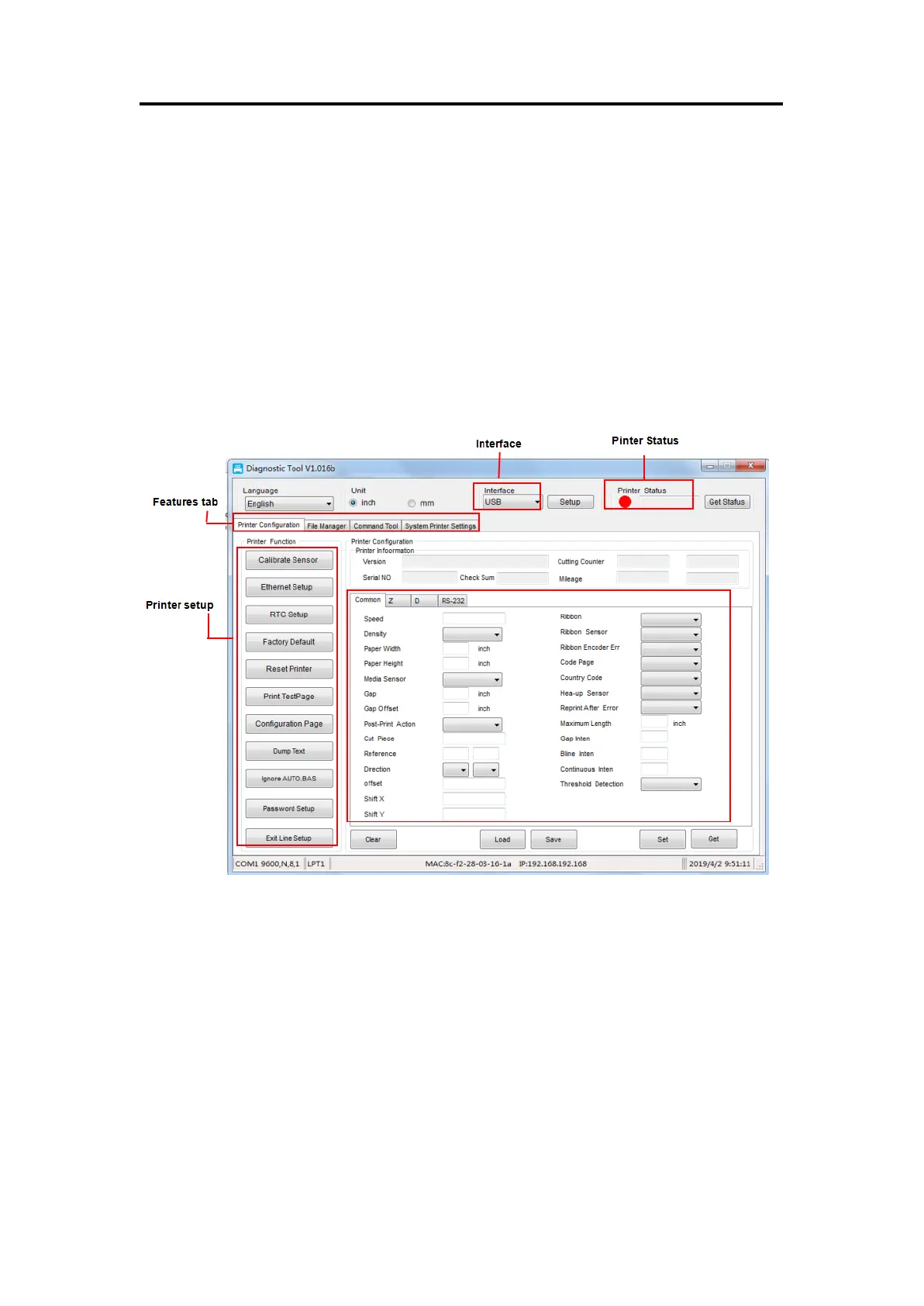
4. Printer Diagnostic Tool
Diagnostic Tool is an easy-to-use window-type utility program that allows you to check
the current status and settings of the printer, download graphic files, programs, font files,
etc., and complete firmware updates. It also supports creating and downloading of
dot-matrix fonts, transmission of commands or files and so on. By using it, you can
complete the printer setup, check the printer status and troubleshoot the printer usage
problems more easily.
4.1 Enable the Diagnostic Tool program
1. Move the mouse cursor to the Diagnostic Tool image and double click the left mouse
button.
2. Once loaded the main screen will show 4 management pages (printer settings, file
management, communication tools, system printer settings).


 To Next Page