4.2 Printer settings
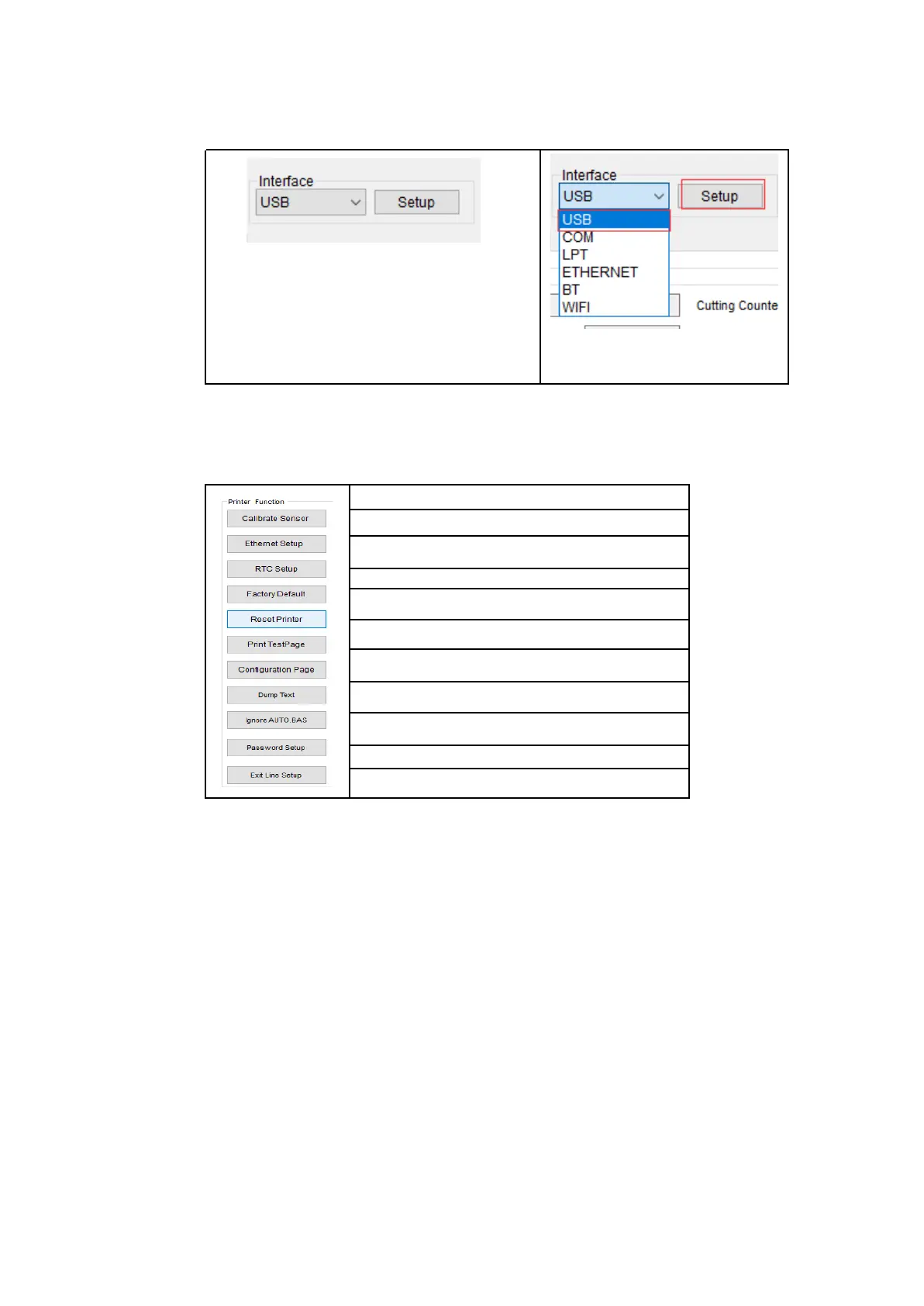
1. Select the connection interface between your computer and the printer.
The default communication interface
of this printer diagnostic tool program
is USB, so if the computer is
connected through USB cable for
transmission, no changes need to be
made to the settings
2. Click on a function you intend to set in the "Printer Settings".
3. The printer functions in the Printer Settings management page are
described as below.
Set Printer RTC Time Parameters
Restore Factory Defaults and Reboot
Enter Printer Debugging Mode
Set the Diagnostic Tool Password


 To Next Page