2. Installation
2.1 Printer Setup
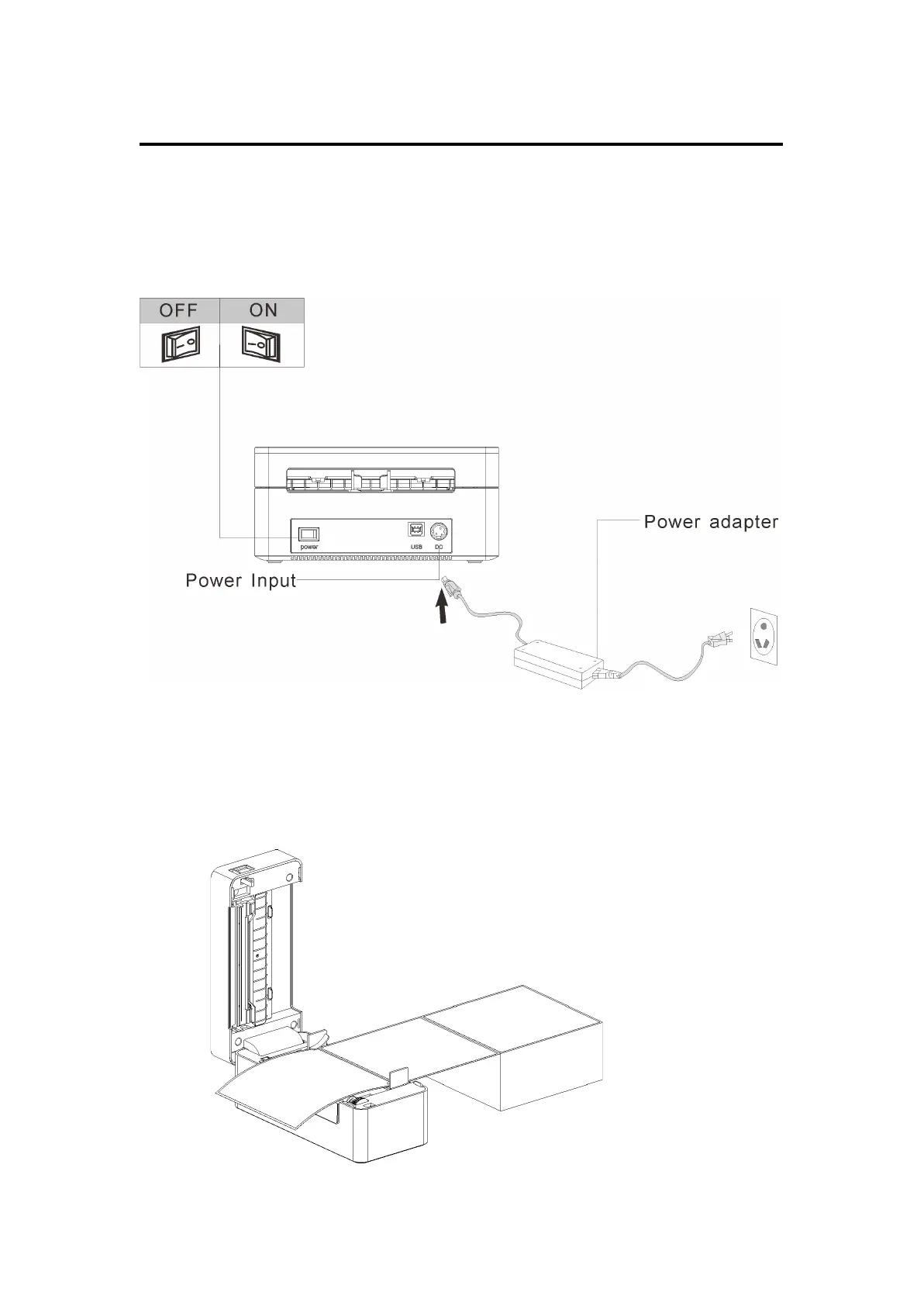
1. Please ensure the printer is on a flat surface and the power switch is off.
2. Plug the power cord into the ower jack connector at the rear of the printer then plus the
power plug into an outlet.
2.2 Loading Label
1. Press the opening button located on the side of the printer, then pull the top cover up.
2. Load the label through the label guide, adjusting width if necessary.
3. Close the cover.


 To Next Page