15
ENGLISH VERSION
DMX-512 control connection
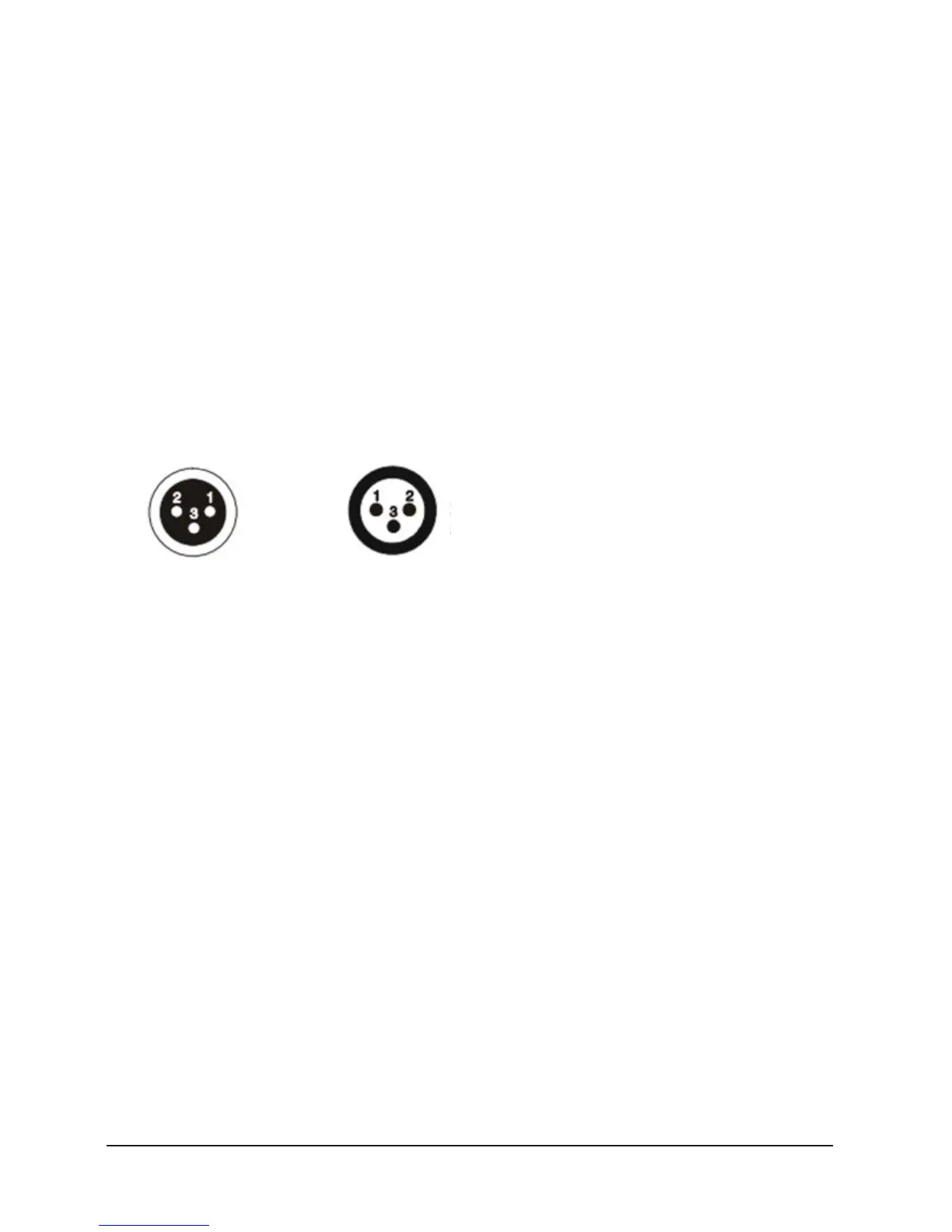
Connect the provided XLR cable to the male 3-pin XLR
output of your controller and the other side to the female
3-pin XLR input of the light.You can chain multiple lights
together through serial linking
The cable needed should be two core, screened cable with
XLR input and output connectors. Please refer to the dia-
gram below.
DMX OUTPUT DMX INPUT
1: Ground
2: Signal (-)
3: Signal (+)
DMX address setting
Each fixture must set a specific starting address. When re-
ceiving signal transmission, fixture will receive channels
control signals which from the starting address.
According to dierent requirements or easy to use, the
user can set many fixtures to the same address, also can
set up a separately address for every device.
If more than one fixtures set to the same address, all of
them receive from DMX channels signal. All connections
fixtures are jointly controlled, controller can't separate
control a device.
If each device set to a dierent address, each device will
be separate from its particular set the starting address and
began accepting DMX512 control signal, so that more con-
venient separate control one of device. Using this method
must be based on channel quantity of device to determine
a starting address.
This device have 16 channels, so the first device starting ad-
dress set 1, second is 17(1+16), third is 33(17+16) and so on.


 To Next Page