25
5. The first time you attempt to pair
with your ULT-G
®
, the TecTecTec !
®
Golf GPS App will ask: "Allow
TecTecTec Golf GPS to access this
device’s location?" Allow/Deny.
Select "Allow."
6. After the TecTecTec !
®
Golf GPS App
has found the ULT-G
®
, a Bluetooth
pairing request will appear on your
smartphone "TecTecTec -
sEnter PIN to pair the device."
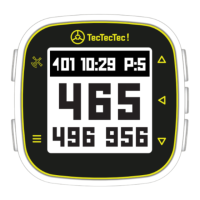
7. Enter the Bluetooth 6-digit passcode
provided on the ULT-G
®
display and
select "Pair." (The passcode should
be a random six-digit number).
WARNING: THIS WILL ONLY BE ASKED THE
FIRST TIME YOU ATTEMPT TO PAIR WITH
YOUR ULT-G
®
. IF YOU SELECT DENY YOU
WILL NOT BE ABLE TO PAIR THE ULT-G
®
IN
THE FUTURE. IF YOU SELECT DENY, YOU
WILL NEED TO UNINSTALL THE APPLICATION
ENTIRELY AND REINSTALL IT.
7
000000


 To Next Page