Page 14
© Copyright 2008-2012 Energy, Inc. All rights reserved
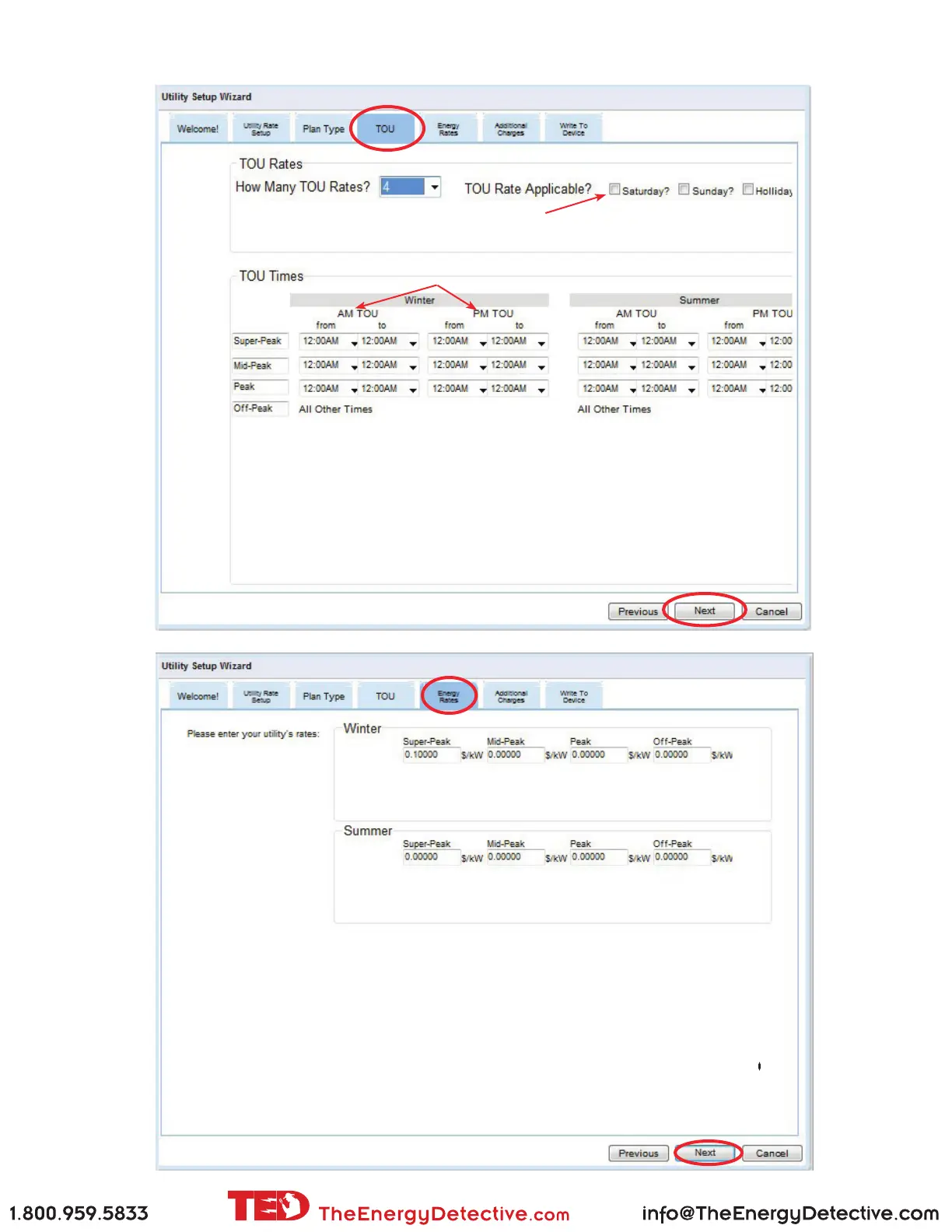
Screen Samples showing TIME OF USE RATES with SEASONS
Notice that each rate can be in the AM and the PM. If a rate occurs only
once in the day, leave the other (AM or PM) at the default of 12:00 - 12:00.
If you have entered multiple Seasons, you will need to input the TOU periods for all seasons as well.
Most utilities consider weekends and holidays OFF PEAK. Check here if that is NOT the case.
Select NEXT when completed
Enter the corresponding rates. If your utility has a 6th digit, just round it up/down.
Select NEXT when completed



 To Next Page