Page 16
© Copyright 2008-2012 Energy, Inc. All rights reserved
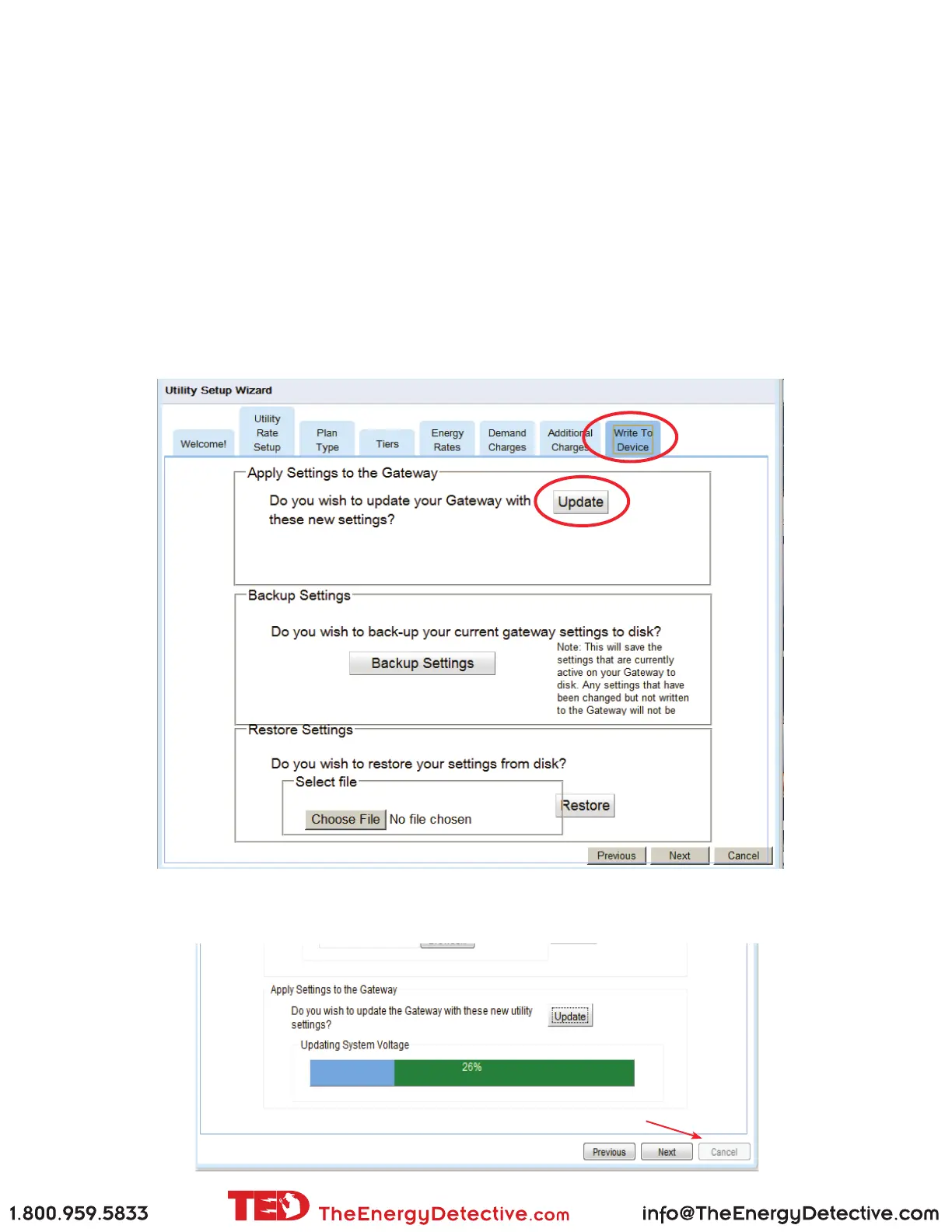
Write to Device
Like any software program, you need to save the changes you made. Changes will be applied when you click the
Update button.
Backup Settings
Before updating changes, you can save the previous settings to a le on your PC. (Recommended)
Restore Settings
You can restore settings that you previously saved to a le on your PC. The restored settings will be applied
when the Update button is selected.
Update
You will use this function every time you make a change to your TED 5000 system. This will update the
changes you make and save them to the Gateway. Press UPDATE.
Wait on the progress bar to reach 100%, and then press FINISH



 To Next Page