Sensor Calibration File Upload
The 1830A allows users to upload sensor calibration data for multiple sensors at one time
through the LAN interface.
NOTE: A file size of 5000 rows in excel was tested for this document. Tins will allow for 25
sensors with 200 data points each. More sensors can be added but each line adds processing
time and load time.
Connections
• Plug in 1830A.
• Allow necessary warm up time for each piece of equipment.
Steps for uploading a calibration file
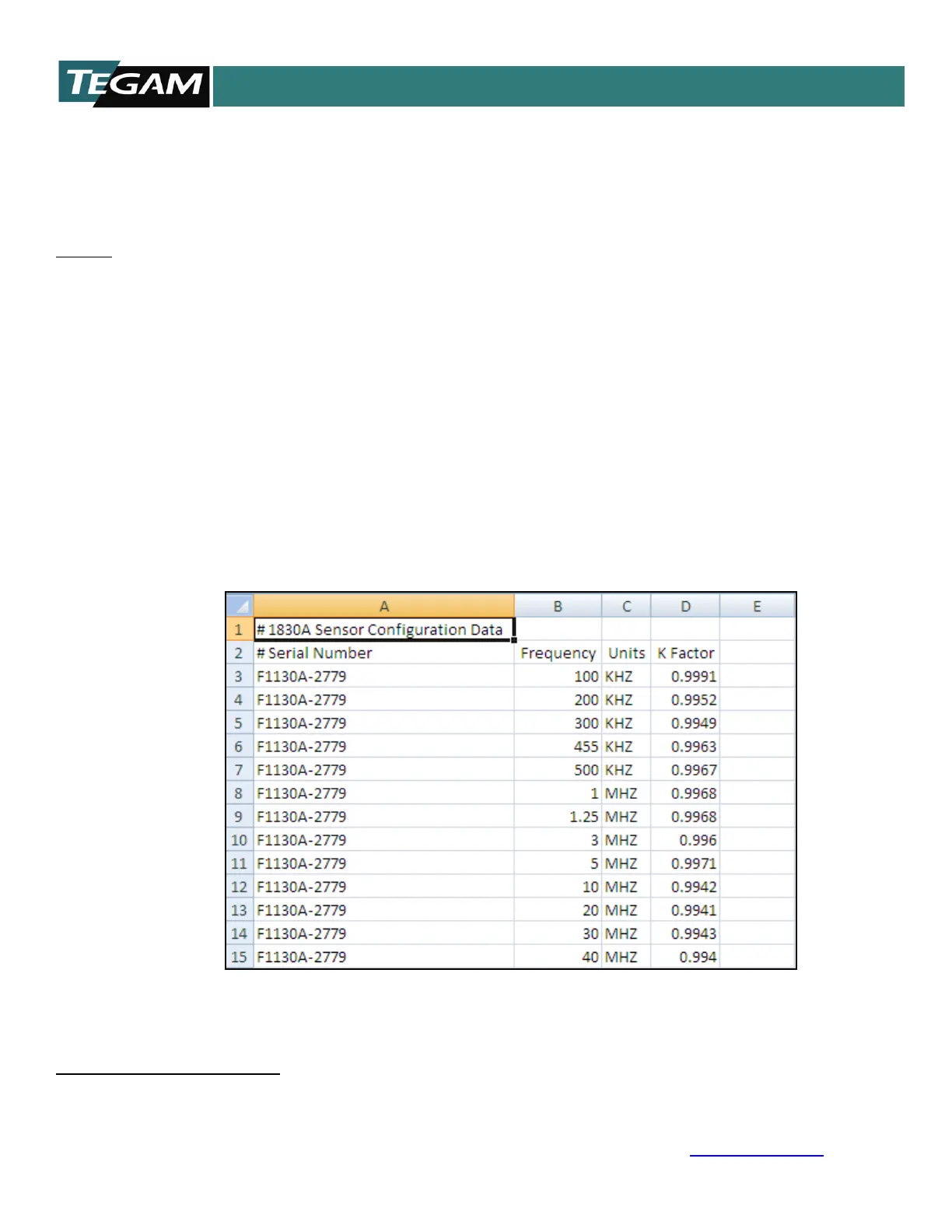
1. Create a “sensors” file:
• File must be in .csv format.
• Sensor #Serial Number can be any alpha-numeric format.
• All frequencies must be greater than 1. (100KHz not .1MHz)
• All cal factors must be in decimal format and less than 2.00
By default the calibration factor is limited to 2.00. With firmware version 1.1.28a and greater calibration
factors of greater than 2.0 can be set.



 To Next Page