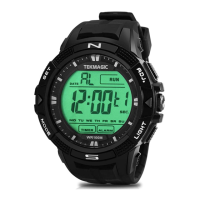
2.6 Press the MODE button once again, you will see the month digit starts blinking, then press the
START button to set the month.
2.7 Press the MODE button once again, you will see the date digit starts blinking, then press the
START button to set the date.
2.8 Press the RESET button once to save all the settings, the watch will back to the local time display
mode.
III. Stopwatch Mode
3.1 In the local time display mode, press the MODE button twice to enter into stopwatch mode.
3.2 Press the START button to start timing.
3.3 Press the START button again to stop timing.
3.4 Press the RESET button to clear.
3.5 Press the MODE button once to exit the stopwatch mode.


 To Next Page