11 of 24 © 2005 D 420 - 06/05
Step 1
The primary pump turns on and remains on for
the rest of the test sequence.
Step 2 The boiler contact is closed to fire an on-off boiler
for 10 seconds or enable a modulating boiler.
IF the On-Off / Modulating DIP switch is set to Modulating
or the tekmar Stager / Off DIP switch is set to tekmar
Stager:
Step 3
When a demand is present, the modulation output
ramps up to 100%.
Step 4
When a demand is present, the modulation output
ramps down to 0%.
The boiler contact is opened and the boiler is
shut off.
Step 5 If DHW MODE is set to 1 or 2, the primary pump is
shut off and the DHW Pump contact is closed.
If DHW MODE is set to 3 or 4, the primary pump
stays on and the DHW Pump contact is closed.
The control exits the test sequence.
If a device fails to operate during the test sequence, refer
to the W 420 Wiring Brochure to check the operation
of the control. If the control works properly, refer to any
troubleshooting information supplied by the equipment
manufacturer.
Testing the Control
The control has a built-in test routine that tests the main
control functions. The control continually monitors the
sensors and displays an error message whenever a fault
is found. The individual outputs and relays are tested using
a test sequence.
Test Sequence
Each step in the test sequence lasts 10 seconds.
• Start the test sequence by pressing the Test button.
• Pause the test sequence by pressing the Test button
again. To advance to the next step, press the Test button
again.
• If the test sequence is paused for more than five minutes,
the control exits the entire test routine.
• To advance to a particular step, repeatedly press and
release the Test button to display the appropriate
device.
Max Heat
The control has a function called Max Heat. In this mode, the
control turns on and operates the system up to the maximum
set temperatures as long as there is a demand for heat. tN4
thermostats operate to meet the occupied setting +5°F (3°C).
The control operates in this mode for up to 24 hours or until
the Test button is pressed. Use this mode to run the circulators
during system start-up to purge air from the piping.
To enable Max Heat:
1. Press and hold the Test button for 3 seconds. The control
flashes the MAX segment and displays the word OFF.
2. Using the Up or Down buttons, select the word On. After 3
seconds, the control turns on all outputs. However, the Max
Heat mode is still limited by the Boiler Maximum setting.
3. To cancel the Max Heat mode, press the Test button. Once
the Max Heat mode has either ended or is cancelled, the
control resumes normal operation.
Zone Test
In Zone Test mode, each tN4 device is individually turned
on one at a time. The control tests each zone for up to 5
minutes of no button activity. Use this feature to purge air
out of each zone and assist in troubleshooting.
To enable Zone Test:
1. Press and hold the Test button for more than 6 seconds.
The control displays ZN TEST OFF.
2. Press the Up button to change the display to ZN TEST ON.
After 3 seconds, the boiler and all pumps are shut off.
3. The control operates the tN4 device on the boiler bus and
the lowest device address. All other tN4 device zones
shut off. (Example: ZN TEST b:01 for the boiler bus and
device 1).
4. To change to the next device number, press the Up or
Down buttons. The previous zone turns off and the device
zone with the current address turns on.
5. To cancel the Zone Test, press the Test button. Once
the Zone Test ends or is cancelled, the control resumes
normal operation.
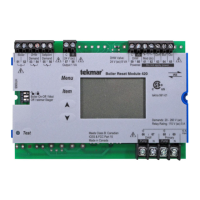
HAZARD
Access to the Test button requires the removal of the
front cover and exposes hazardous voltage while the
control is powered. Only trained, qualified and competent
personnel should operate the Test button.
Test
Press and Hold
for 1 second
Test
Press and Hold
for 3 seconds
HAZARD
Access to the Test button requires the removal of the
front cover and exposes hazardous voltage while the
control is powered. Only trained, qualified and competent
personnel should operate the Test button.
HAZARD
Access to the Test button requires the removal of the
front cover and exposes hazardous voltage while the
control is powered. Only trained, qualified and competent
personnel should operate the Test button.
Test
Press and Hold
for 6 seconds


 To Next Page