9
5.3 CHANGING THE FUSE
1. Disconnect all power connection.
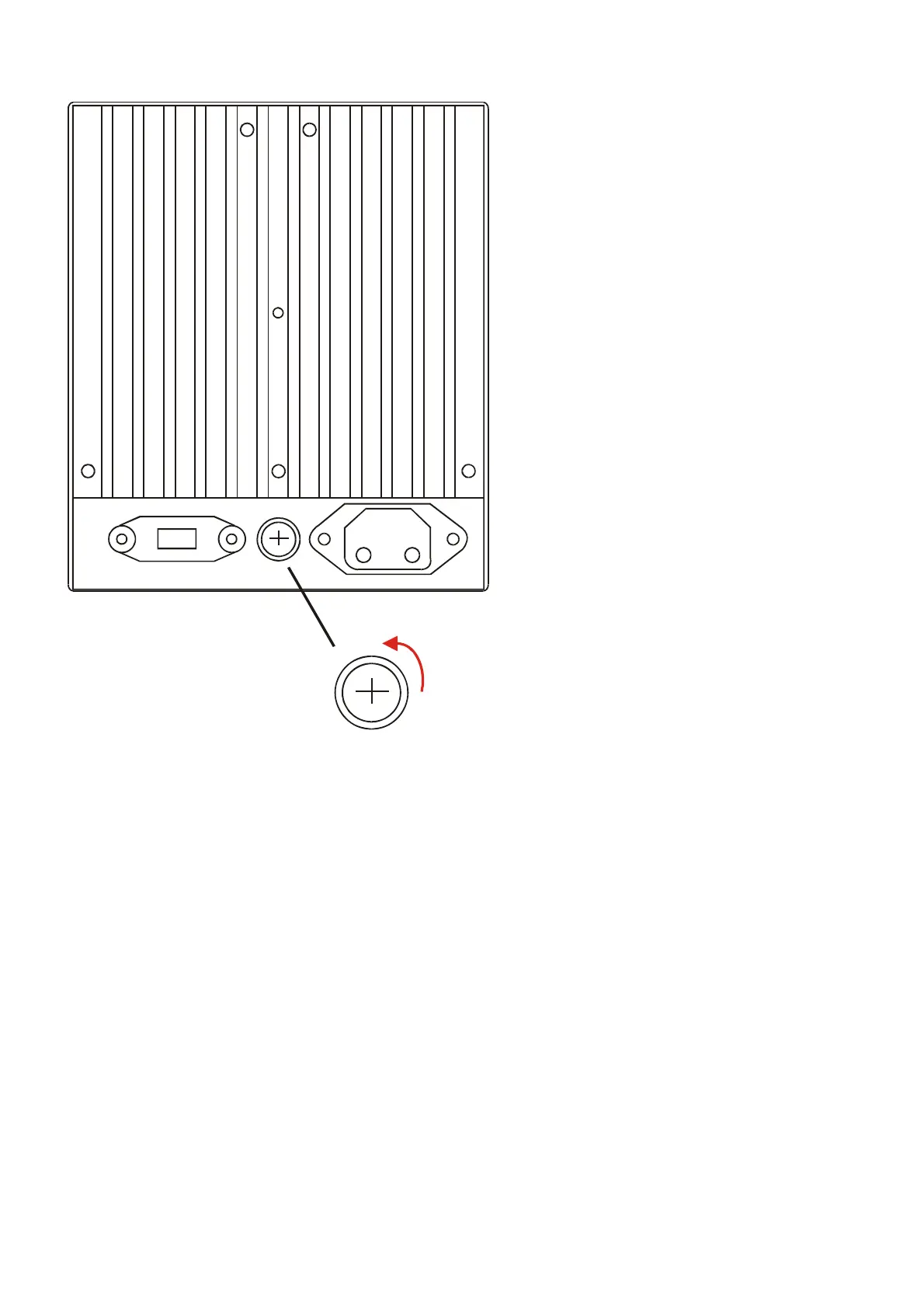
2. Turn over the case.
3. Find the fuse socket.
4. Use a cross screw drive and turn anti-clockwise to open the fuse socket.
5. Replace the fuse with identical rating. Rating see section 4.1.1
6. Use the cross screw drive and turn clockwise to close the fuse socket.
Caution:
z Ensure no power is connected to the power supply; otherwise, will have an electrical shock.
z Do not over turn the fuse socket, or you will damage the fuse socket.


 To Next Page