Chapter 4 Software
4-1
Software Installation
F25 Software Installation
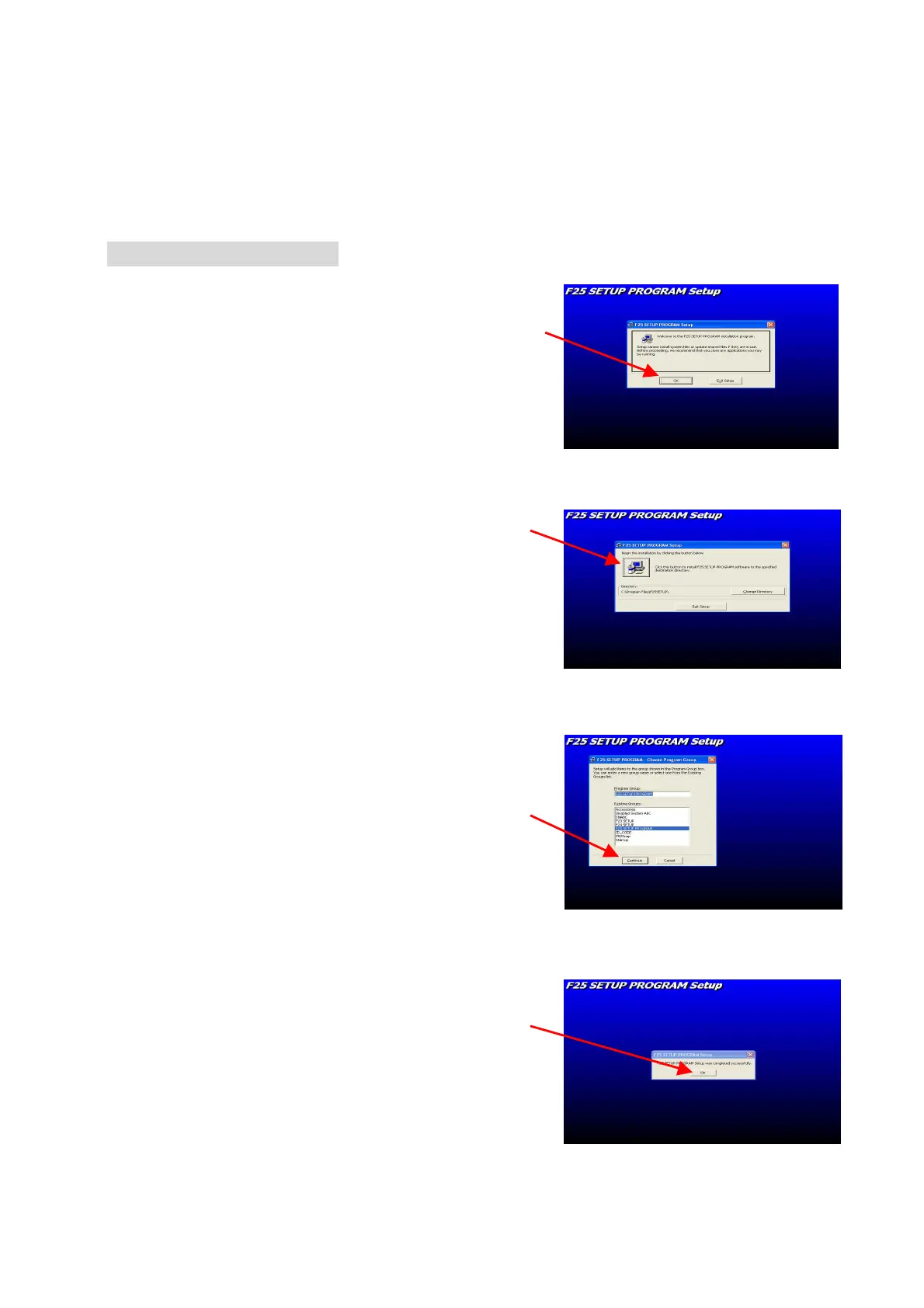
1. Insert F25 CD-ROM, the installation
program will be executed automatically.
2. Press the “icon” and continue the installation
3. Press “Continue” button
4. Press “OK” button and installation of
F25 software program is completed.





 To Next Page