Need help?
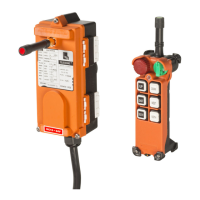
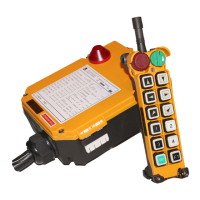
Do you have a question about the Telecrane F21-E1B and is the answer not in the manual?
Product meets specifications. Warranty against defects for one year from shipment. Buyer pays inbound shipping.
In case of emergency, press EMS, turn key OFF, switch off main power, and contact distributor.
Select the correct COM port. Use 'Read R/C' to retrieve data from transmitter or receiver.
Initiate 'Write R/C' to transfer settings. Confirm the data write operation and monitor progress.
Configure Start Key behavior: Normal, Toggle, Inching, or EMS(STOP) for relay control.
Set ID Remote to enable/disable code overwriting. Choose Power On Mode: Any Pushbutton or Start pushbutton/Key.
Enable/disable Powersaving for battery life. Configure Continuous TX for constant or pushbutton-activated signals.
Manage Auto Off Time for transmitter/receiver, Auto Off(EMS), and LED On/Off status indicators.
Choose from various function modes like Normal, Interlock, Toggle, Control by EMS, Bypass EMS, On/Off, and Combination.
Configure Interlock Delay for safety and Acceleration Delay for motor protection between speeds.
Set Passive Act for interference handling (Power Off/Relay Off). Configure Auto Off (RX) for idle shutdown.
 General
| Brand | Telecrane |
|---|---|
| Model | F21-E1B |
| Category | Remote Control |
| Language | English |


 To Next Page