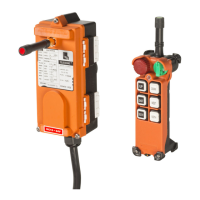
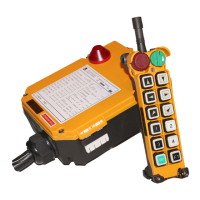
b. “Start pushbutton/Key”: Pull out EMS button (mushroom) and
turn Rotary key switch to “on” position
(for F21-2S/2D/4SB/E1B, release
EMS(STOP) button and insert Magnetic
key in its slot in the Transmitter), the
receiver will be “Power On” once
Rotary key switch is turned to “start”
position (for F21-2S/2D/4SB/E1B, once
Start pushbutton is pressed).
Note: “Power On” means that the coil of the MAIN relay
energizes and the contact of the MAIN relay
activates at the same time in the receiver.
1-26. “Powersaving”: “Enable” or “Disable”.
a. “Enable”: It is suitable for a particular application if a number of
Remote Controls having same frequency and different
ID codes used at a working site. In addition, by using
firmware to control frequency transmission cycle period
to reduce power consumption of transmitter.
Note: the operating distance will be decreased when the “Power
Saving” mode is activated.
b. “Disable”: It is suitable for a common (standard) application.
1-27. “Continuous(TX)”: “YES” or “NO”.
a. “YES”: Once Transmitter is powered on, it will continuously
send the signal until it is powered off.
b. “NO”: After Transmitter is powered on, it will send the signal
only when the pushbutton is pressed for saving
Transmitter’s battery power.
18



 To Next Page